Release notes
Last updated: November 9, 2026
Everything we ship, newest first. Pick a date on the right to jump to that release.
9 November 2026
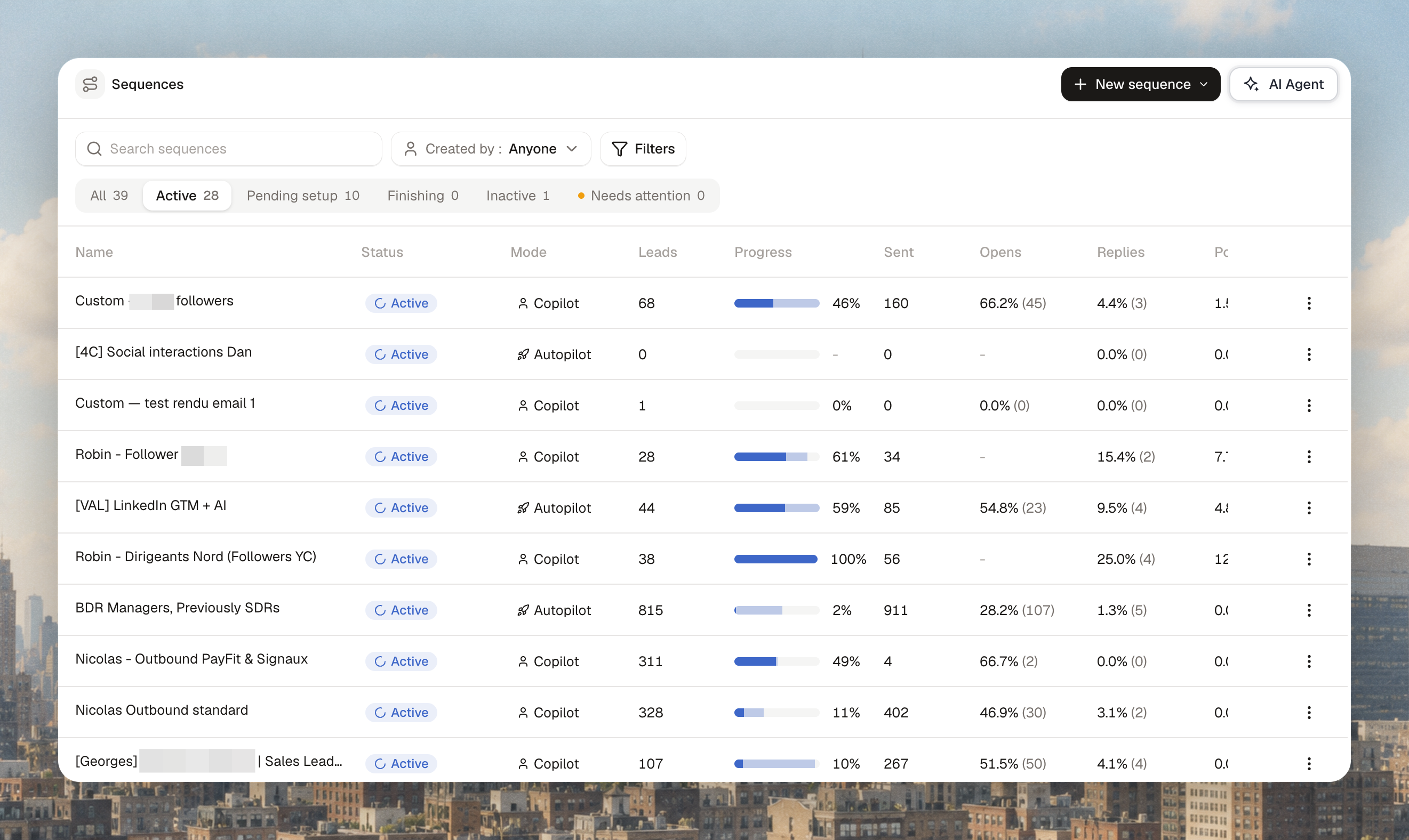
See how far each sequence has got
The Sequences table shows a progress bar for every sequence.
Leads are split into finished, in progress and still to launch, with the share that's finished.
Hover the bar for the exact counts.
Sort by progress to see which sequences are about to run dry.
When the "to launch" part disappears, everyone in the sequence has been contacted at least once.
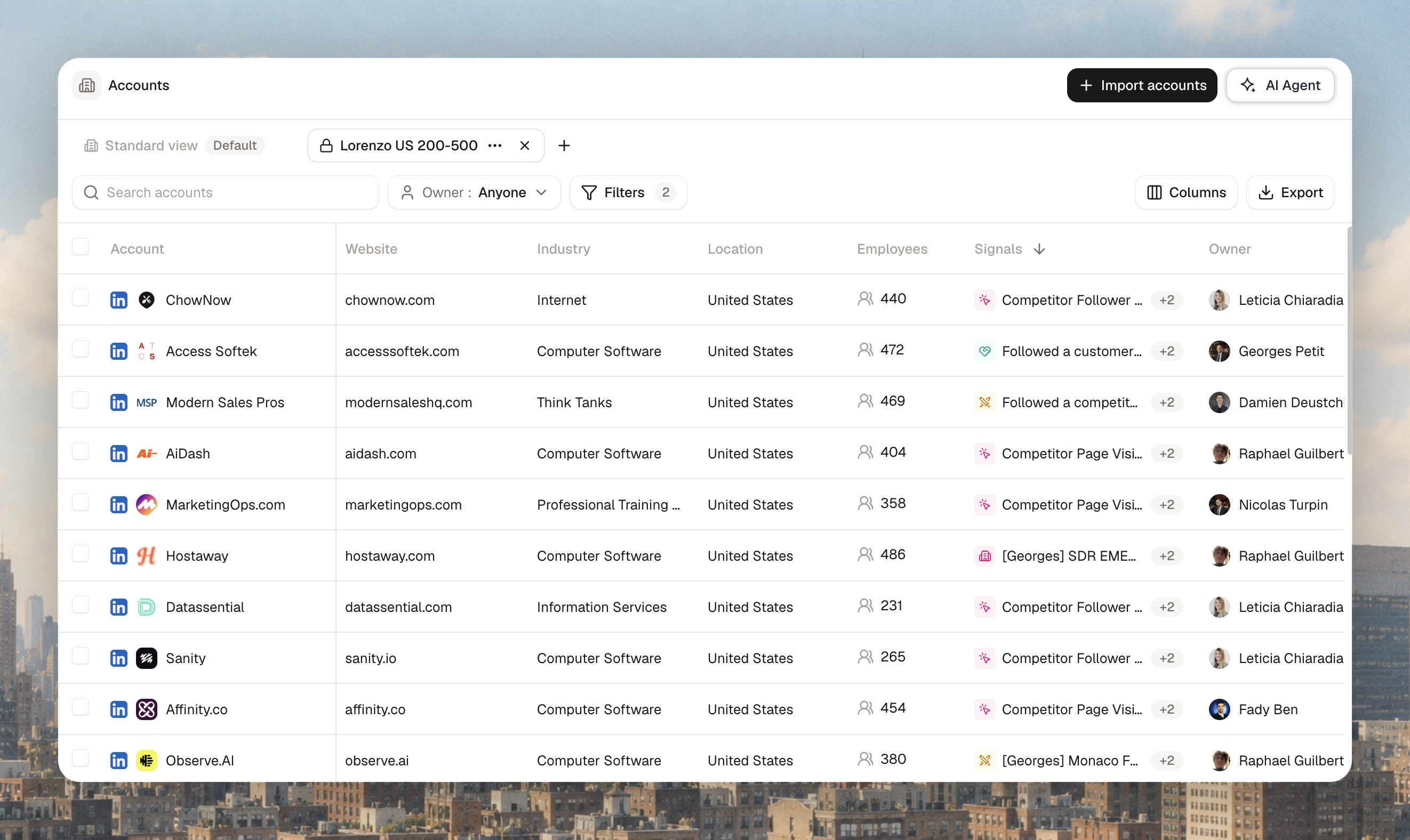
Saved views on Accounts, Contacts and Lists
Set up the columns and filters you need once, and they're there every time you come back.
The standard view is visible to everyone in the workspace. Only admins can edit it.
Duplicate it to make a view of your own, then pick your columns and filters.
Keep a view private (lock icon) or share it with your whole organisation.
Make as many views as you like.
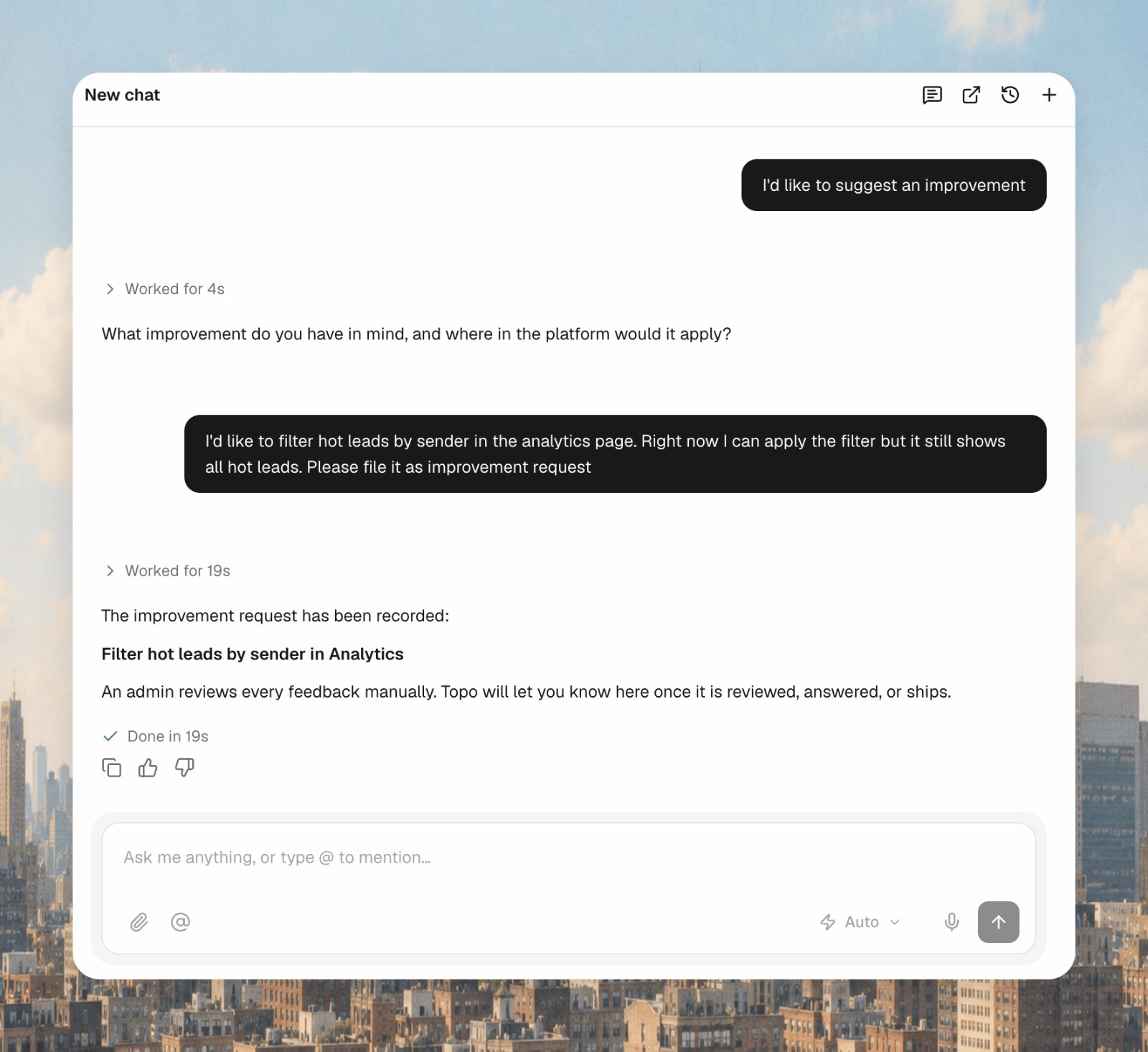
Report bugs and ideas to your agent
Tell your Topo agent when something isn't working, or when you have an idea. Bugs, improvements and feature requests go straight to the support team. Every bug is looked into and every request is discussed with the product team. If your idea makes it onto the roadmap, you get a message each time it moves forward.
Other improvements (9 November)
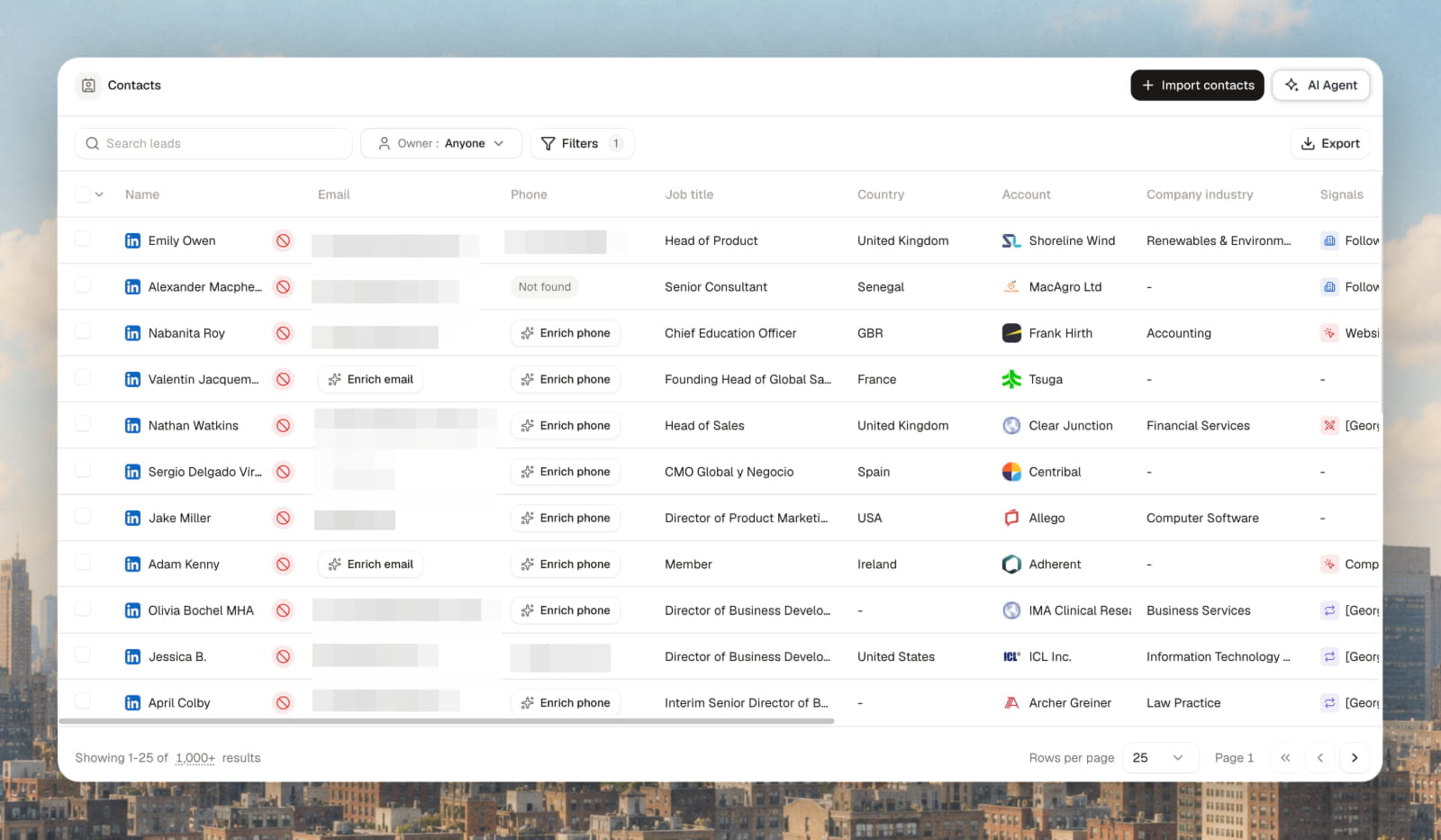
Excluded people show an Excluded badge on email and phone in lists, Contacts and the lead panel, instead of "Enrich" or "Not found". Hover it to see why. Lists get the same Excluded filter as Contacts.
In Analytics, filtering to one teammate limits the hot leads card to people they contacted.
2 November 2026
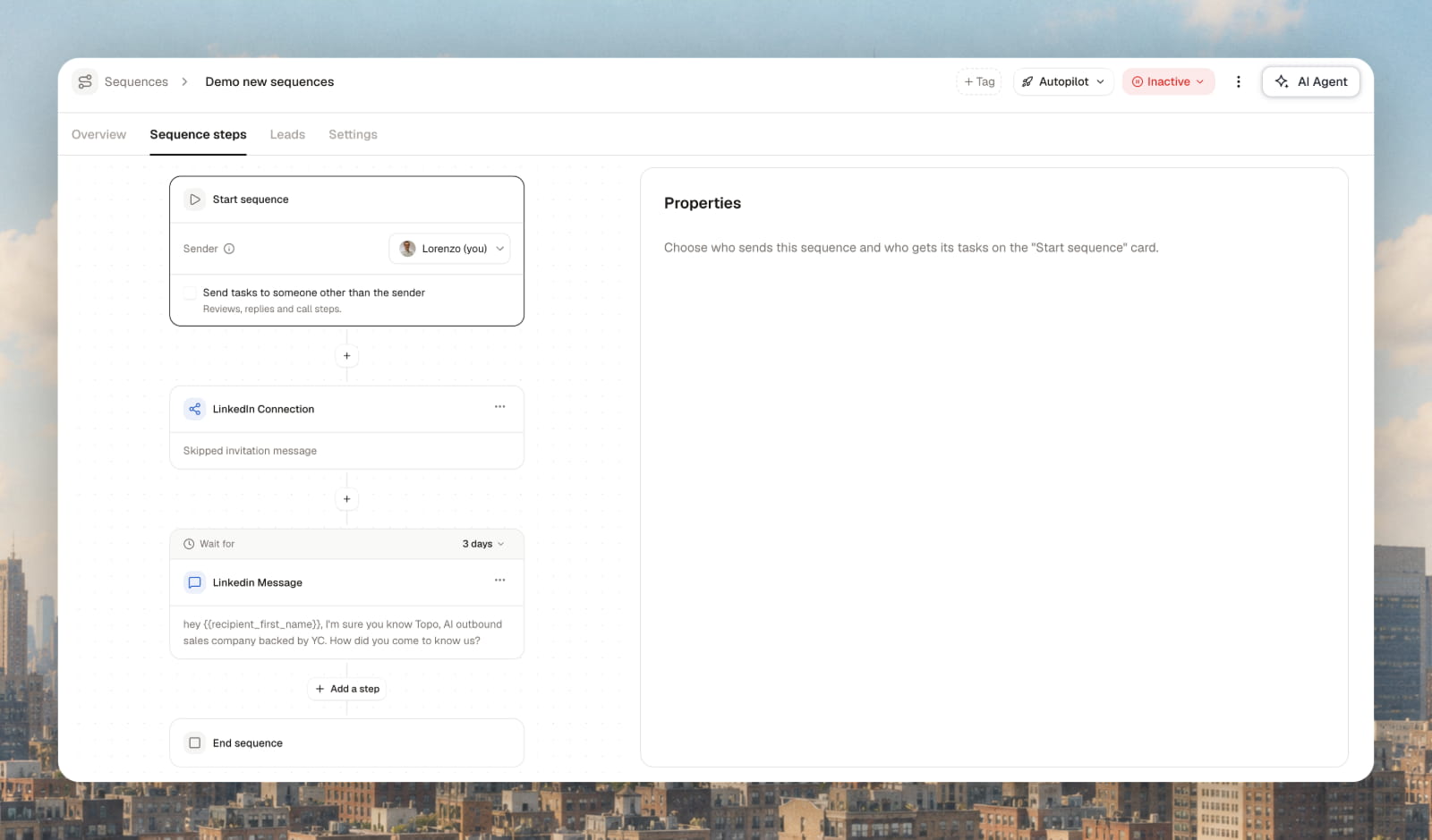
Choose who sends a sequence, right on the canvas
Senders now live on the Start block of every sequence.
Build a sequence and you are the sender, with the tasks, by default.
Pick one or more teammates (they share the work by company) or Contact owner, with a fallback.
Send the tasks to someone else, or set a specific sender on a single step.
A sequence won't turn on if a sender is missing a mailbox or LinkedIn account it needs. The Start block tells you which.
Existing sequences have moved to this setup. People already contacted stay with the mailbox that started the conversation.
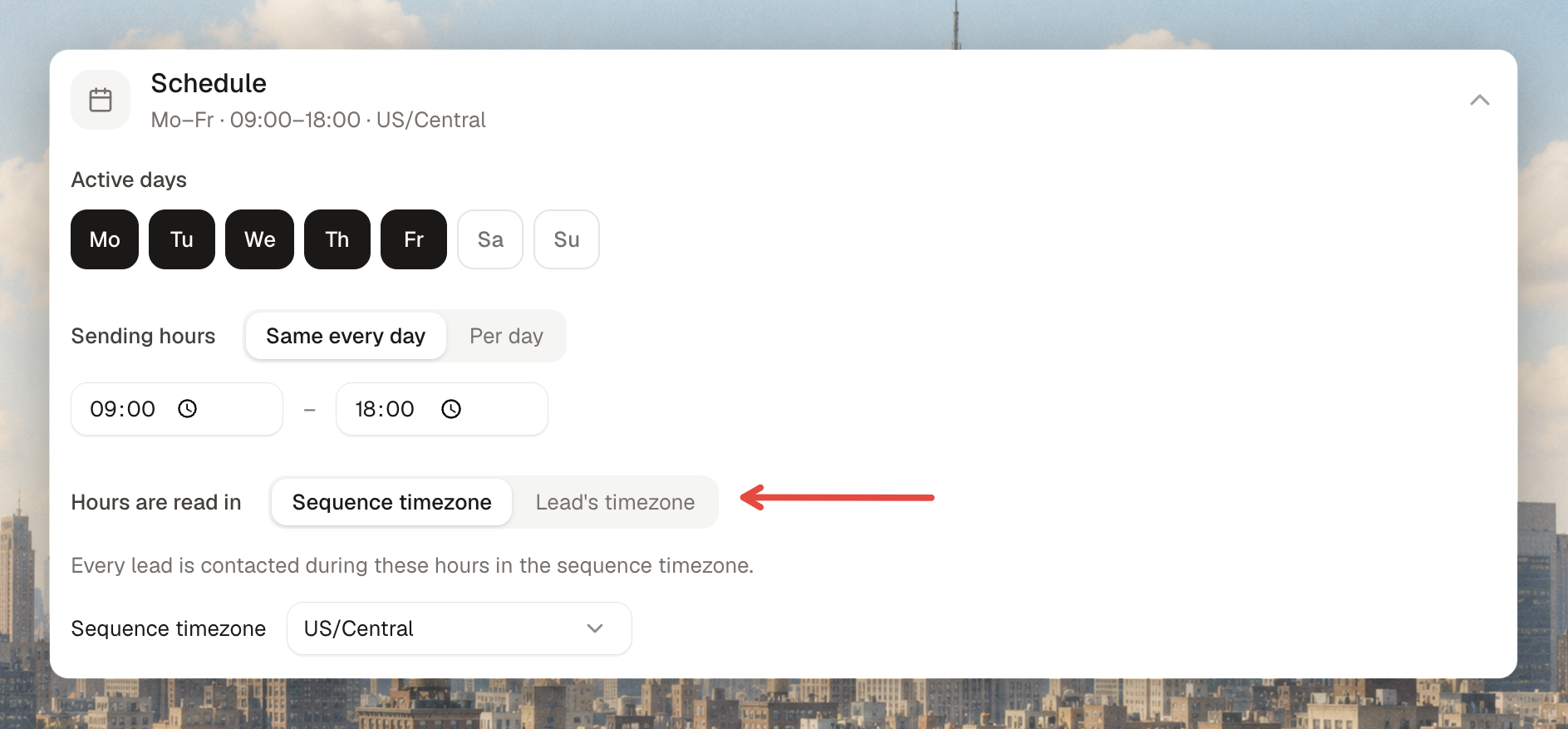
Sending hours follow one clock
Pick either the sequence timezone (default) or the lead's timezone. If a lead's timezone is unknown, the sequence timezone applies. New sequences start in your workspace timezone, and call tasks show the lead's local time.
Your name lives on your profile
The Identities page is gone. First name, last name and job title come from your profile, and that is what sequences use. Mailboxes are grouped by teammate under Senders. Admins can change a teammate's job title.
Stop a Lead Search import halfway
The import progress banner has a Stop button. People already added are kept and billed as usual. Everyone else is cancelled and never billed.

26 October 2026
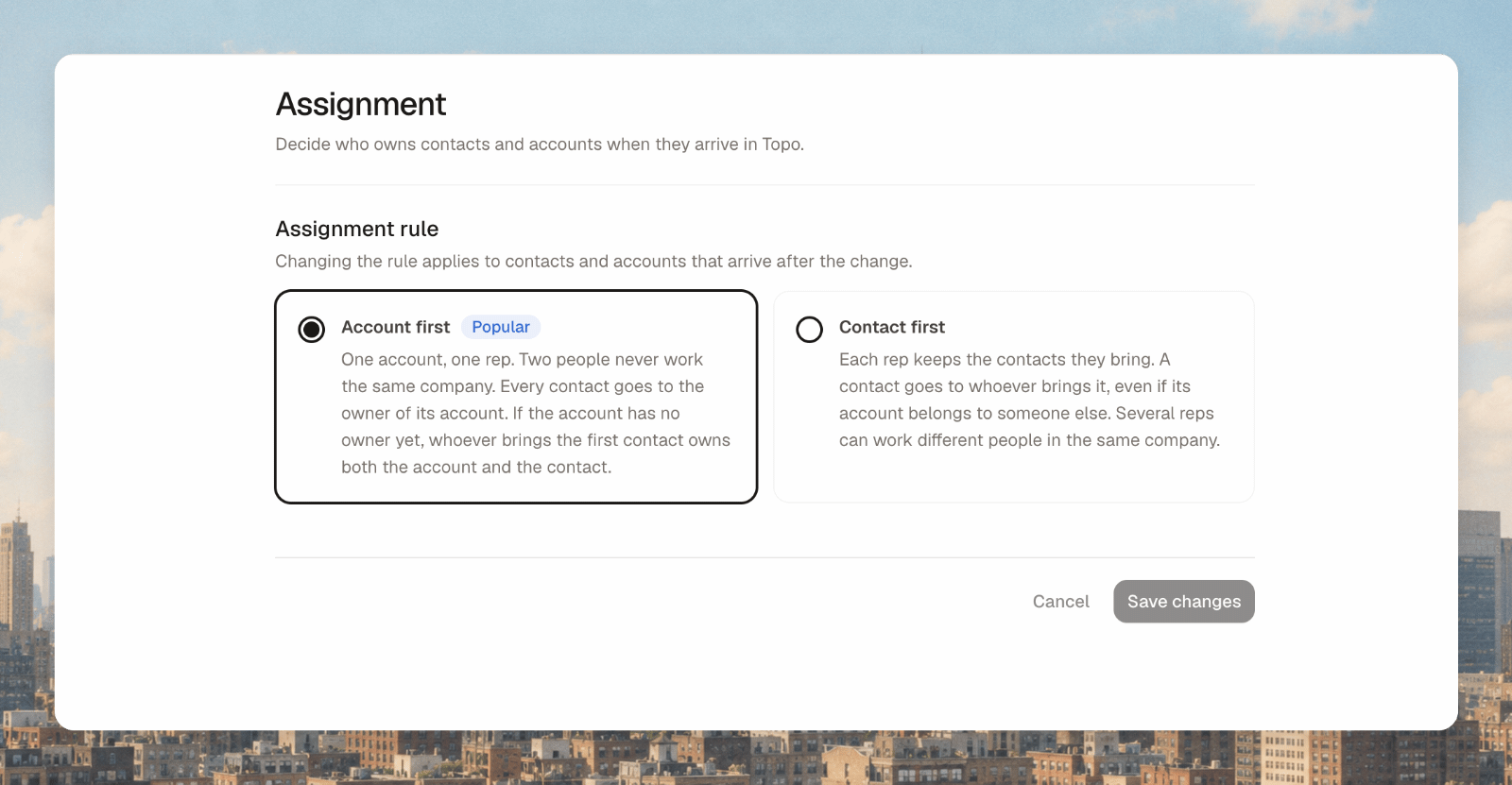
Every new contact gets an owner on arrival
Contacts are assigned as soon as they land, from Lead Search, CSV, the Chrome extension, the agent, a playbook or a list.
Account first (default): the contact goes to whoever owns their company, or to you.
Contact first: you own the people you bring in.
Set it in Settings → Contacts & accounts → Assignment. An existing owner is never overwritten, and your CRM still wins if it is the source of truth.
When you launch a signal, choose who owns the people it finds: you, teammates in rotation, or nobody.
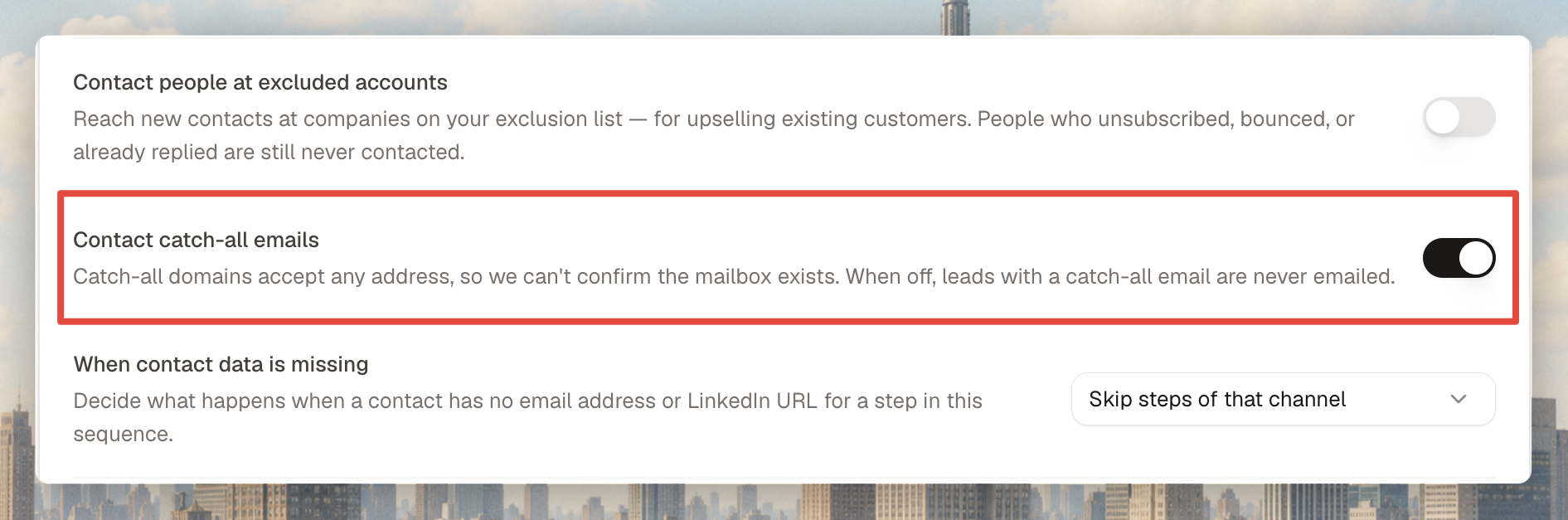
Skip catch-all emails
Switch off Contact catch-all emails in a sequence's advanced settings to leave unverifiable addresses out of your email steps. On by default. Look for the Catch-all badge in your lists.
Follow-ups go out before new leads start
Daily sender capacity now goes first to people already in a sequence. New leads are enrolled with what's left. Applies to every sequence automatically.
19 October 2026
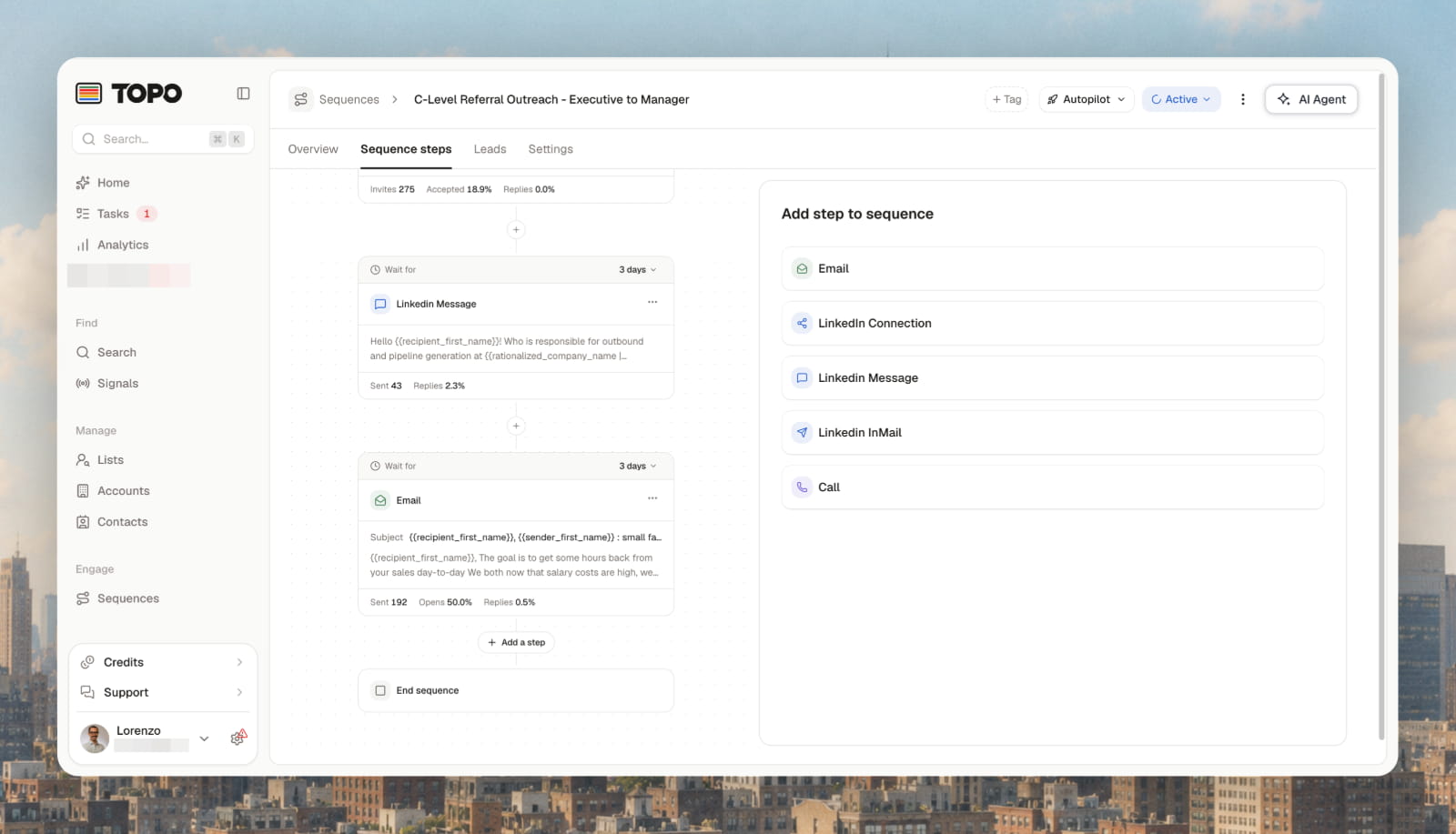
Edit a live sequence without starting over
Change the steps of a running sequence, save and choose Keep leads in progress. Anyone not yet contacted moves to the new version, including Copilot leads awaiting approval. People mid-sequence carry on where they are.
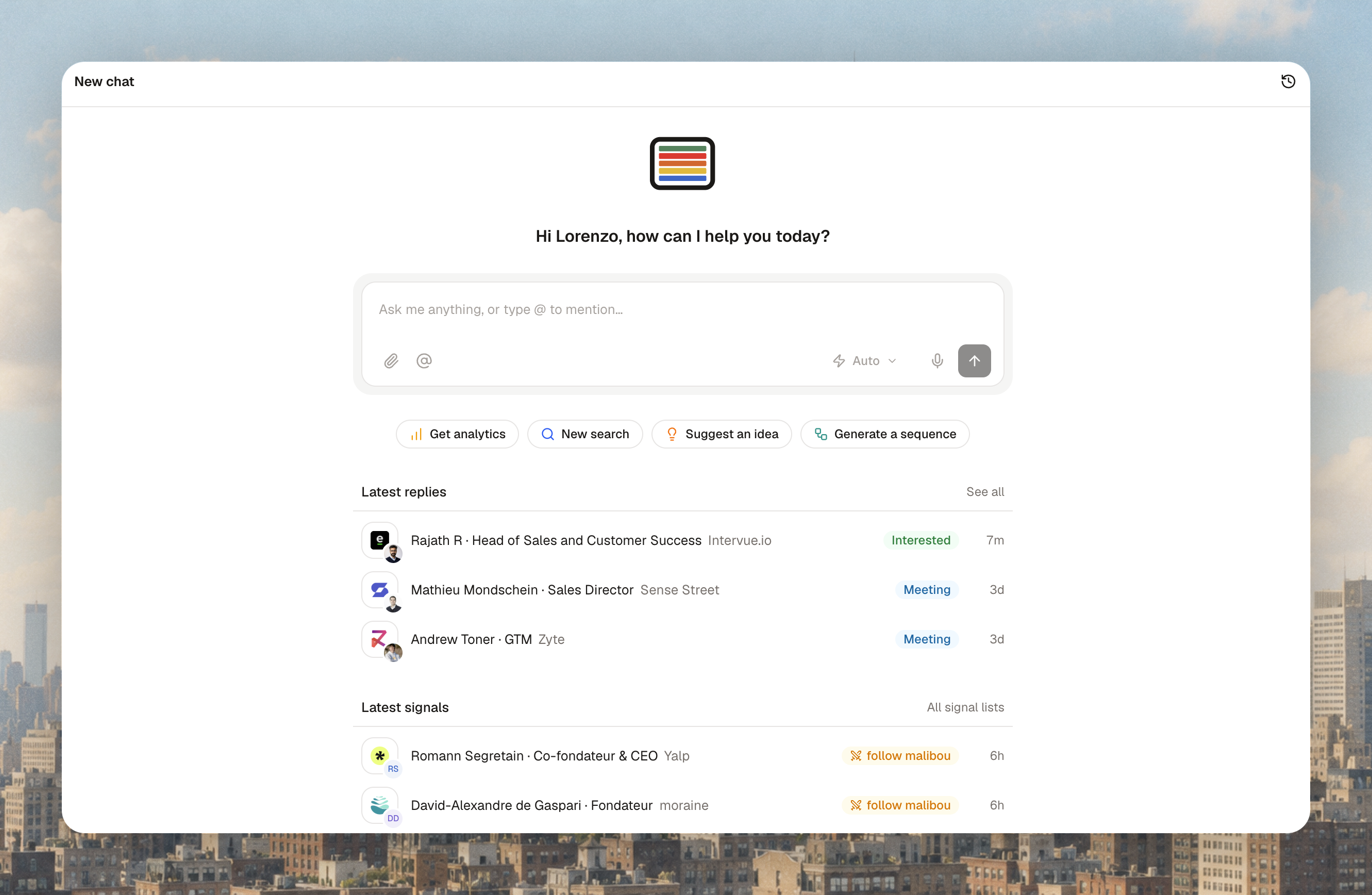
Home shows what needs you
Under the agent chat, Home now shows your 3 latest replies and 3 latest signals. Click through to the conversation or to the person or company behind the signal.
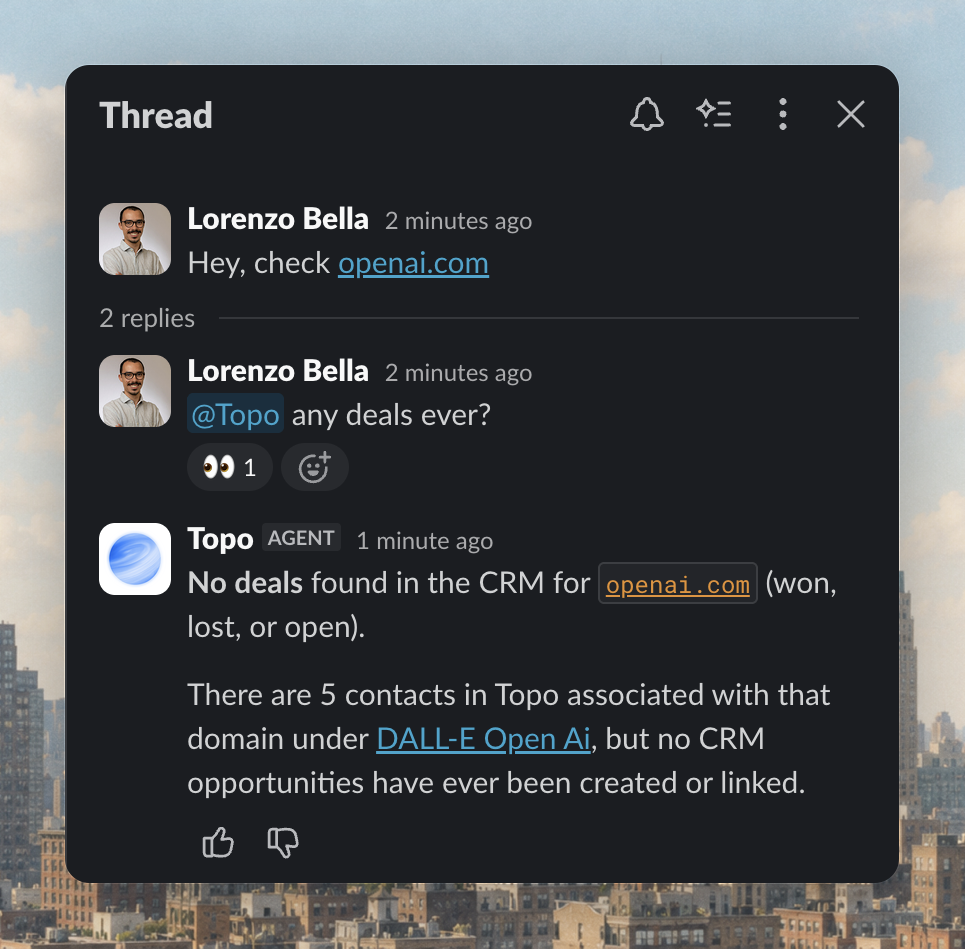
@Topo reads the Slack thread you're in
Mention @Topo in a thread and it reads up to the last 50 messages before answering, so it can act on a discussion your team is already having.
Other improvements (19 October)
Paused sequences say why ("Paused until 20 Oct", "Reply to review").
Exclude someone with just their LinkedIn URL, by CSV or via the agent.
Manual / Auto picker in the agent chat: routine actions run without approval. Risky actions and imports still wait for you.
Remove a teammate without losing their work: choose who takes over their accounts, contacts and tasks.
12 October 2026
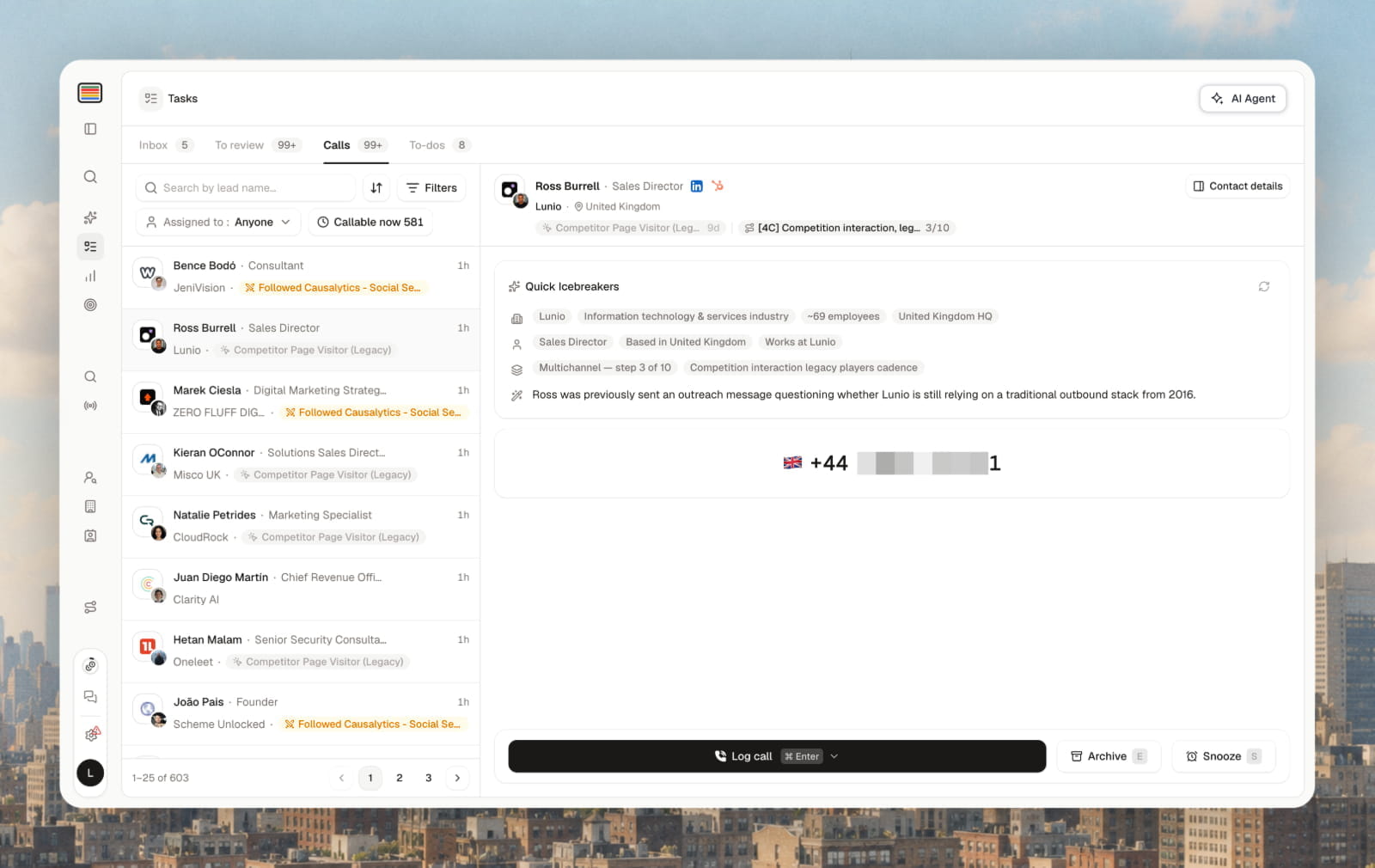
Replies and tasks in one place
The Master Inbox and Tasks are now one page, with tabs. Everything that needs you today sits together.
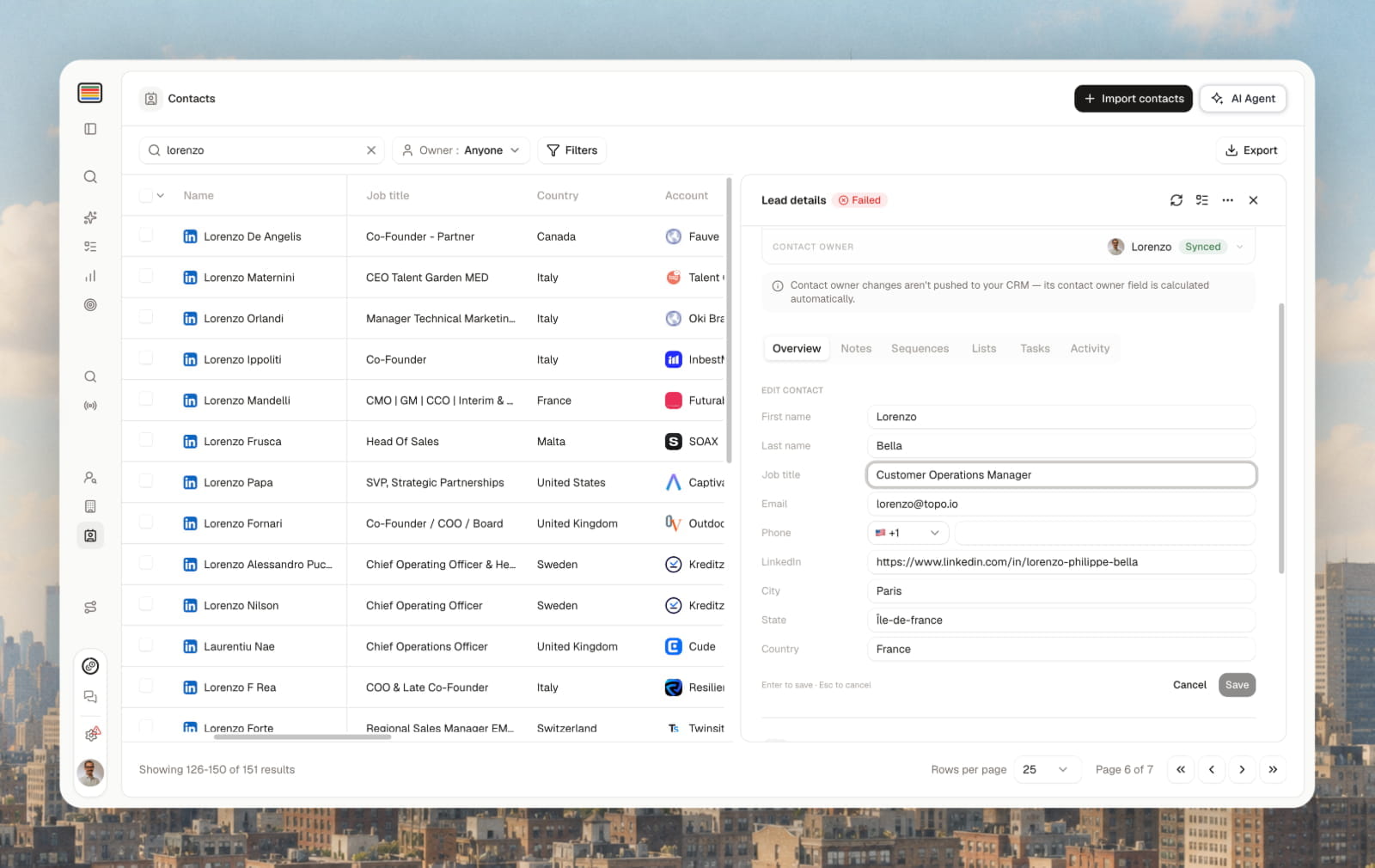
Edit contacts and companies directly
Open a lead, click the pen icon next to the contact or company name, edit and save. Invalid entries are flagged before you save.
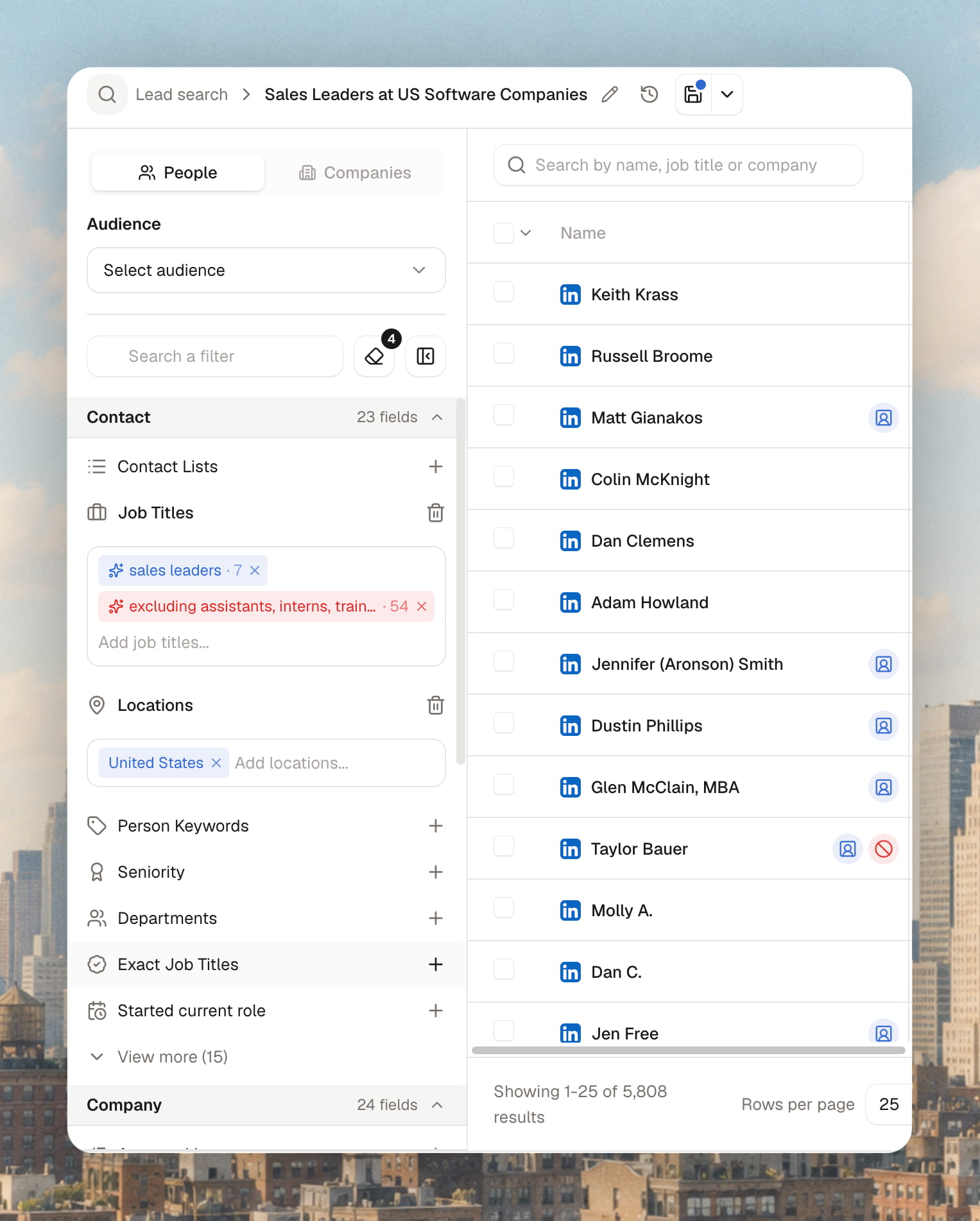
Redesigned Lead Search filters
The most used filters are easier to reach, and each filter now takes both inclusions and exclusions.
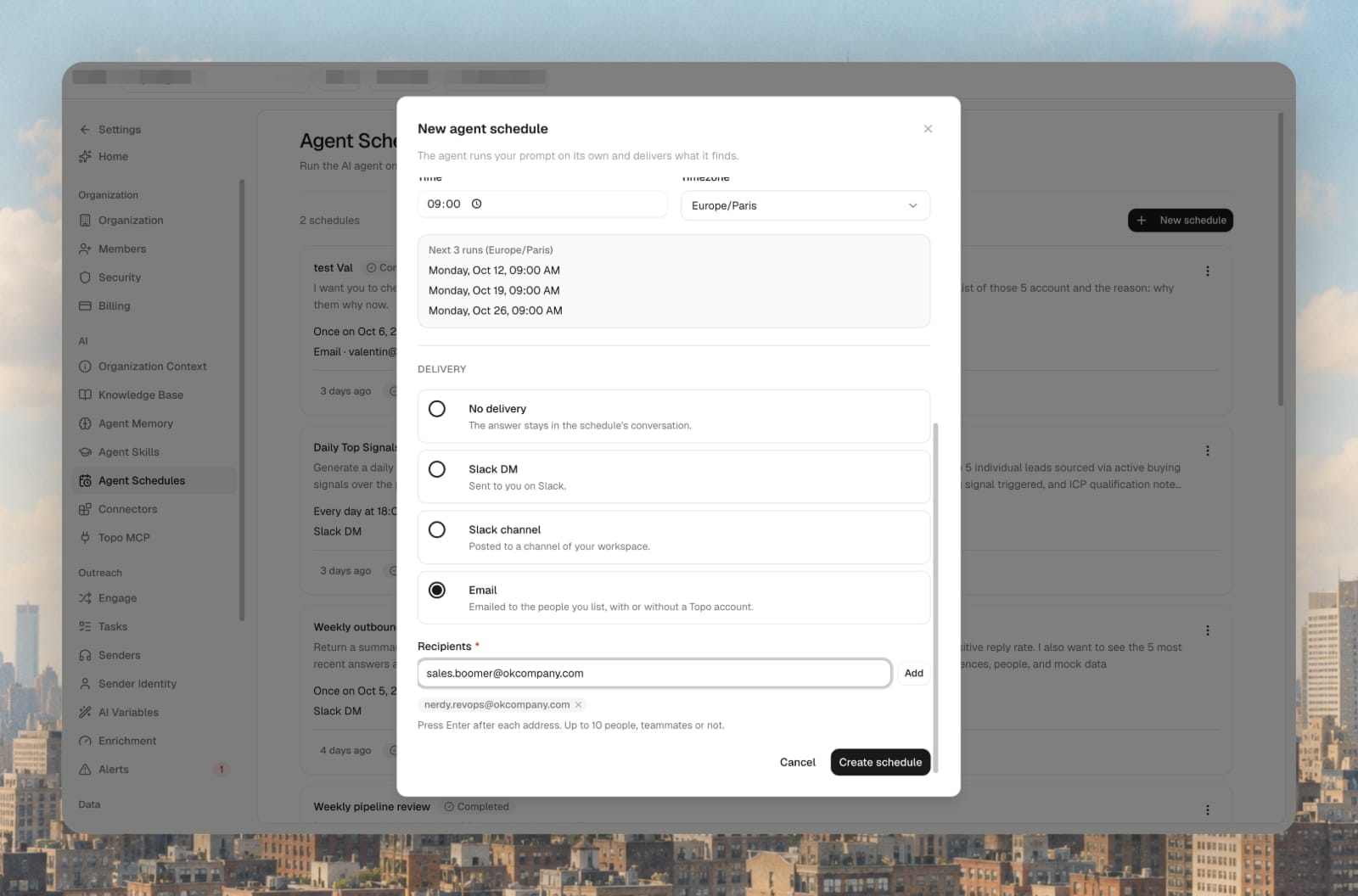
Scheduled agent reports by email
Agent schedules can deliver by email as well as Slack, to up to 10 recipients, teammates or not.
5 October 2026
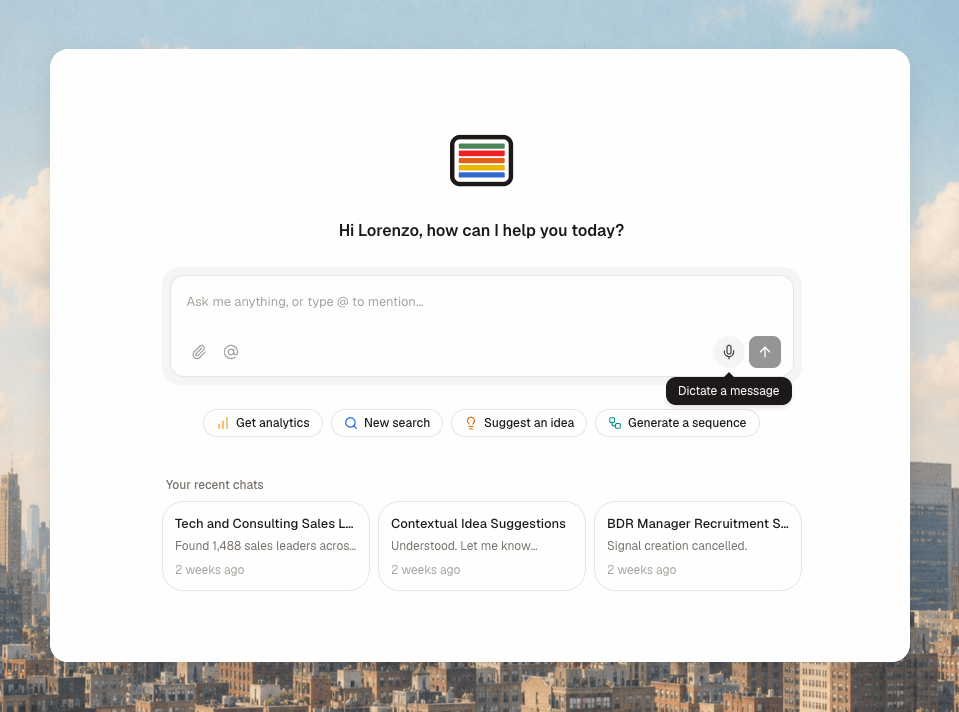
Dictate to the agent
Click the microphone in the agent chat and speak. Topo turns it into your prompt.
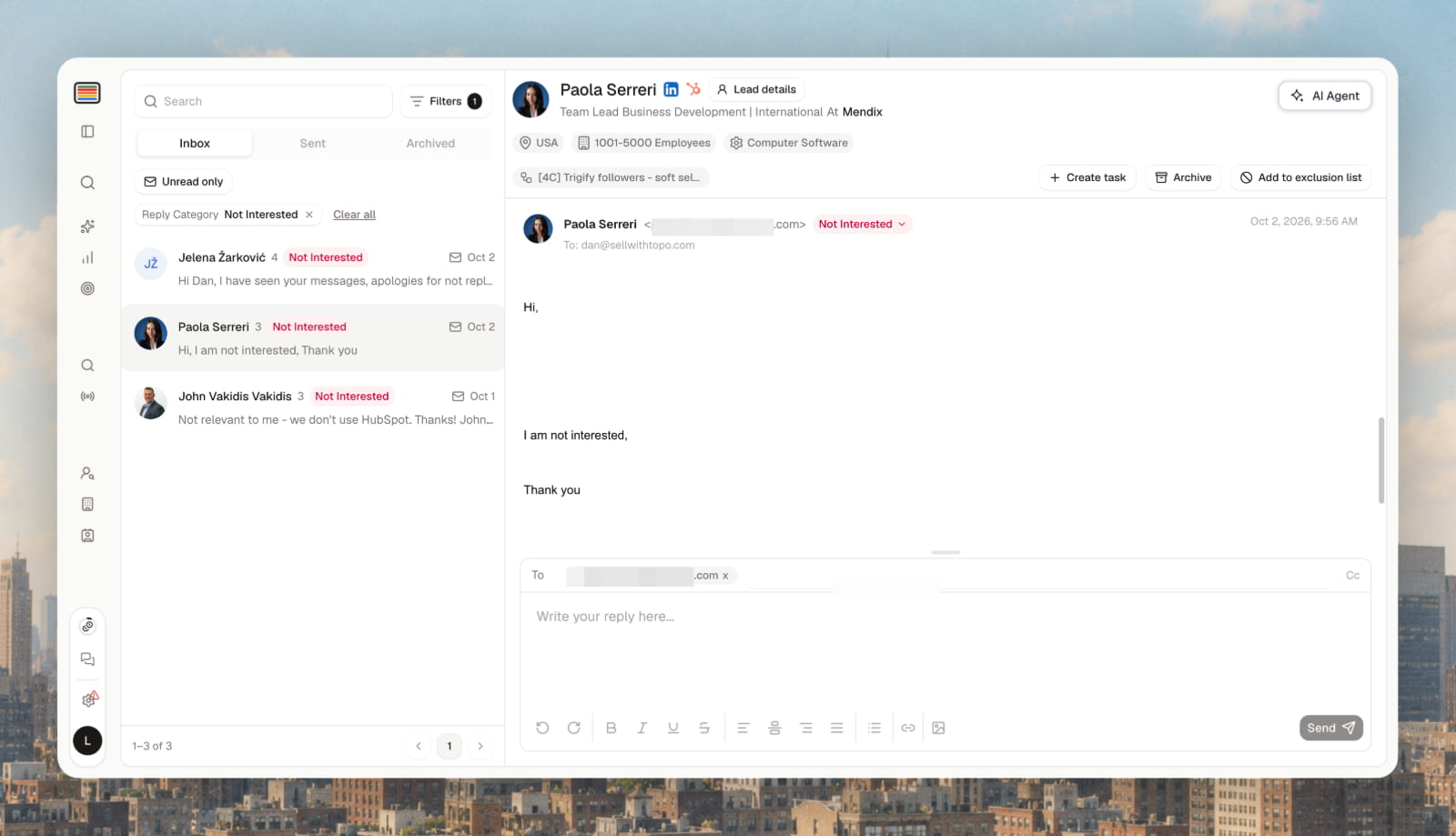
"Not interested" reply category
Negative replies get their own category in the Master Inbox, with an automatic exclusion rule (excludes the contact by default, editable in Settings → Exclusions → Automatic rules).
Exclusion badge everywhere
The red Excluded badge now shows on contacts, companies and lists, with a filter to show or hide them. Exclusion now applies at enrolment, not at import: excluded people are imported but not enriched, and not contacted unless you ask.
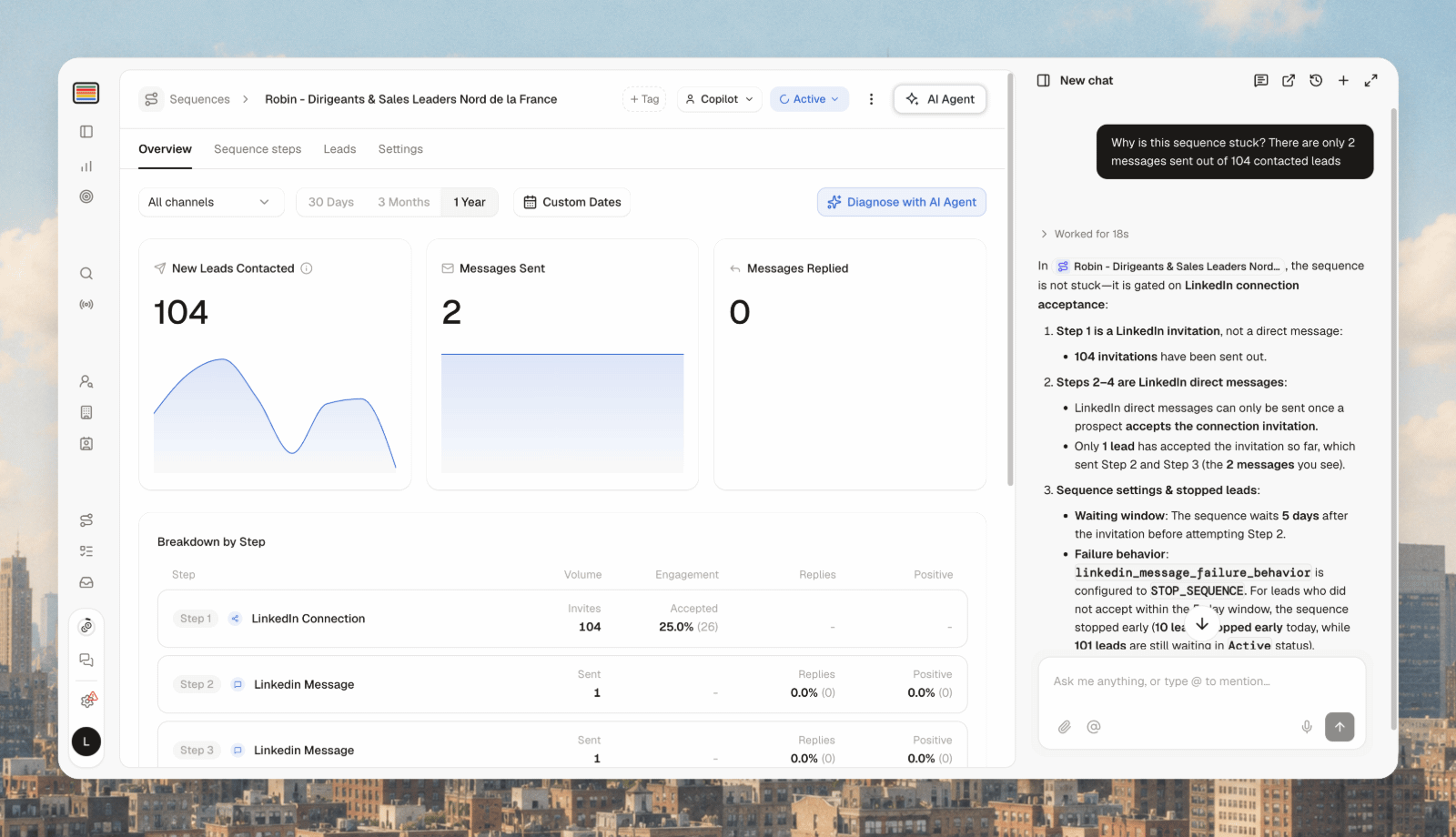
Ask the agent why outreach is stuck
The agent checks exclusions first, then every other likely cause, and gives you a diagnosis.
28 September 2026
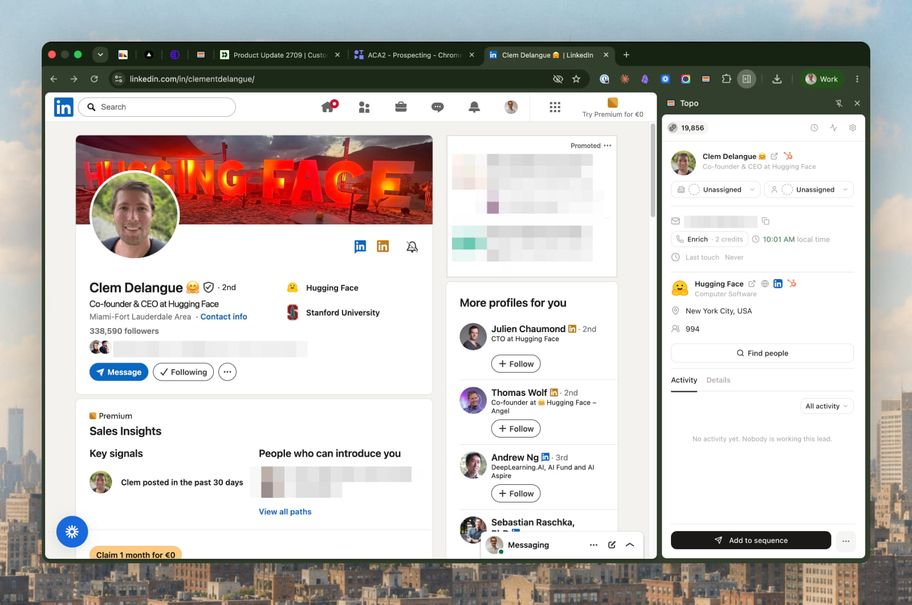
Topo Chrome extension
A side panel next to any LinkedIn profile shows whether the person is in Topo, who owns them and their company, and past activity. Add them, enrich email and phone, and send them into a sequence from the panel. Excluded companies are flagged before you try.
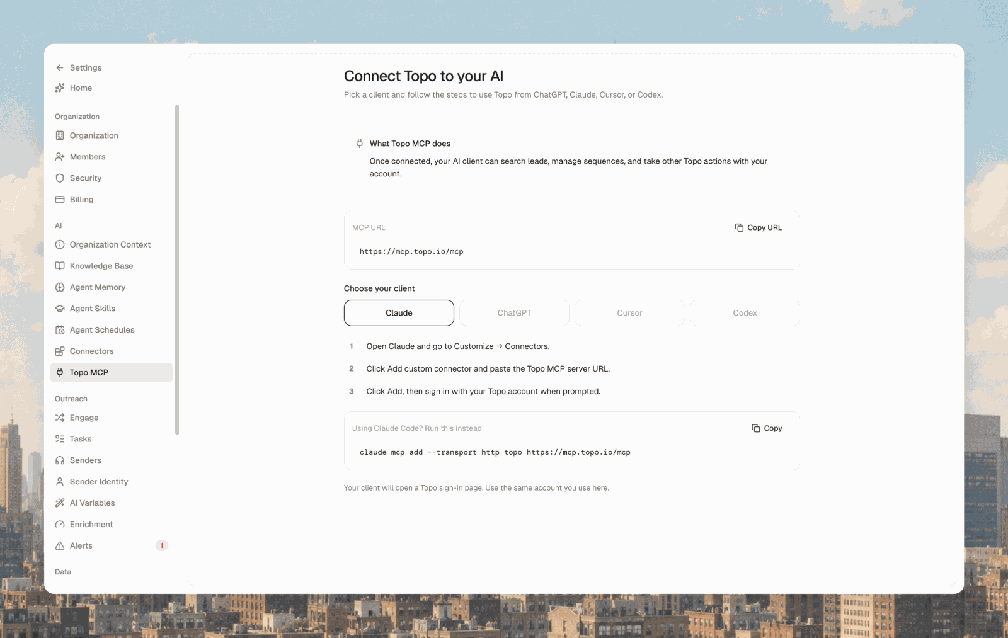
Topo MCP
Use Topo from Claude, ChatGPT, Cursor or Codex: find leads, create sequences and read your analytics with your own account. Settings → Topo MCP, copy the URL, pick your client and follow the steps.
Signals upgrades
Import past matches when you launch a signal, not just new ones.
Monitor an existing list: hiring and technology signals watch account lists, new job watches contact lists (up to 1,000 entries).
Champion changed job: get flagged when someone from your customer list moves company.
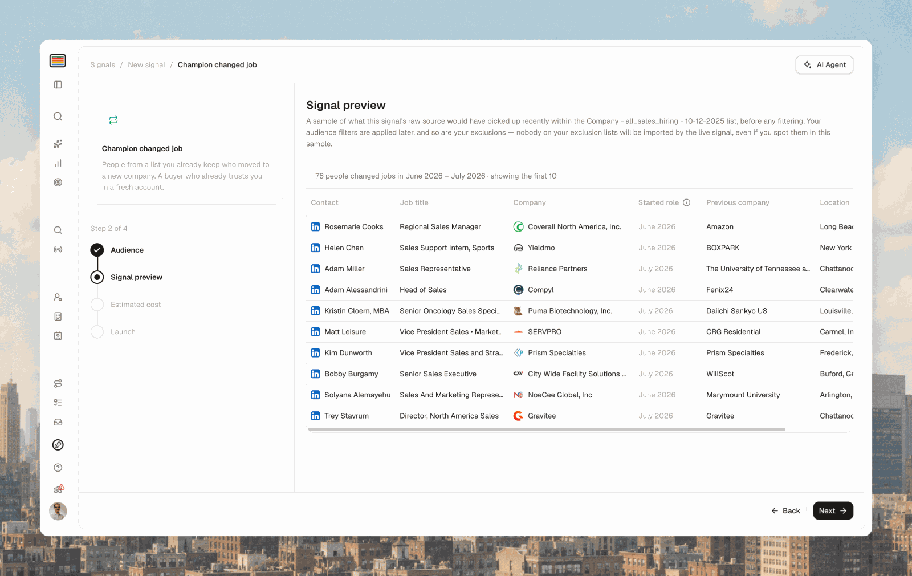


Topo in French
Settings → Profile → app language.
Pipedrive and Salesforce integrations (beta)
Both do everything the HubSpot integration does. Open to every customer: ask your account manager to join.
Other improvements (28 September)
CSV import suggests a mapping for each column and previews your data.
Lead Search is faster and more reliable.
Retry button when an agent run fails.
21 September 2026
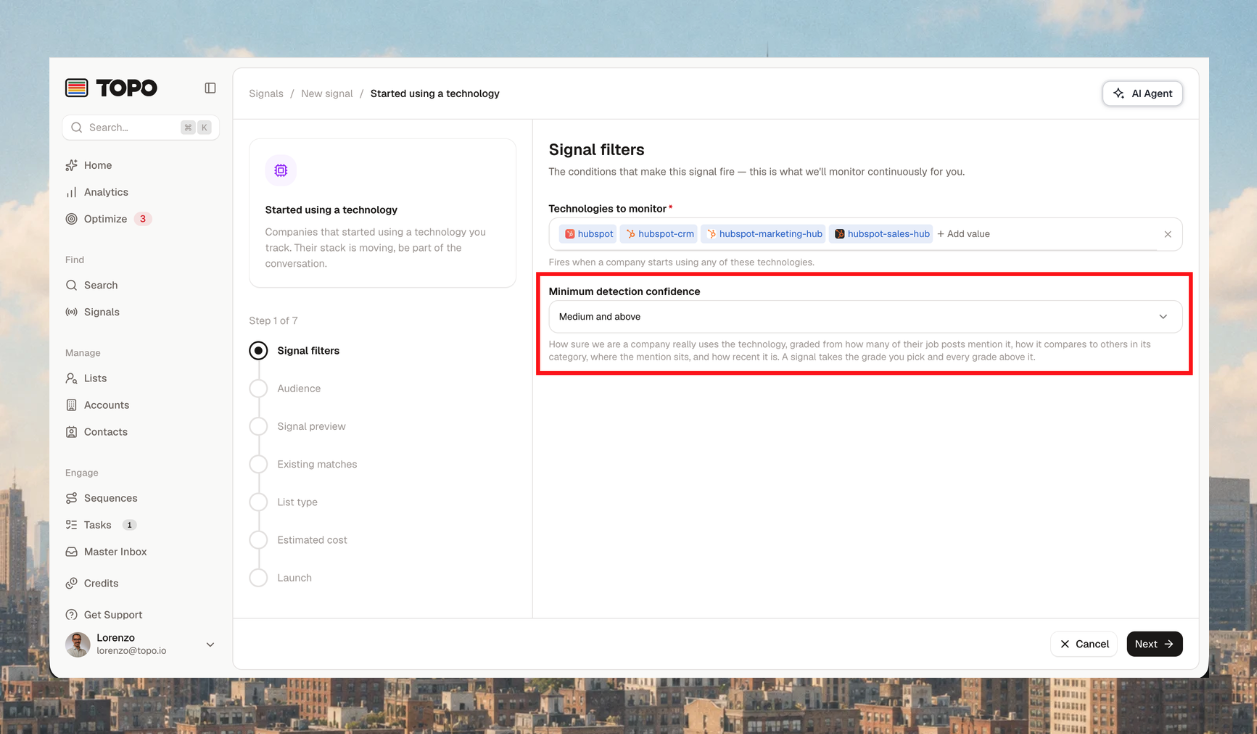
Detection confidence for technology signals
Set a minimum confidence when you create a technology signal. Anything below it never reaches your list.
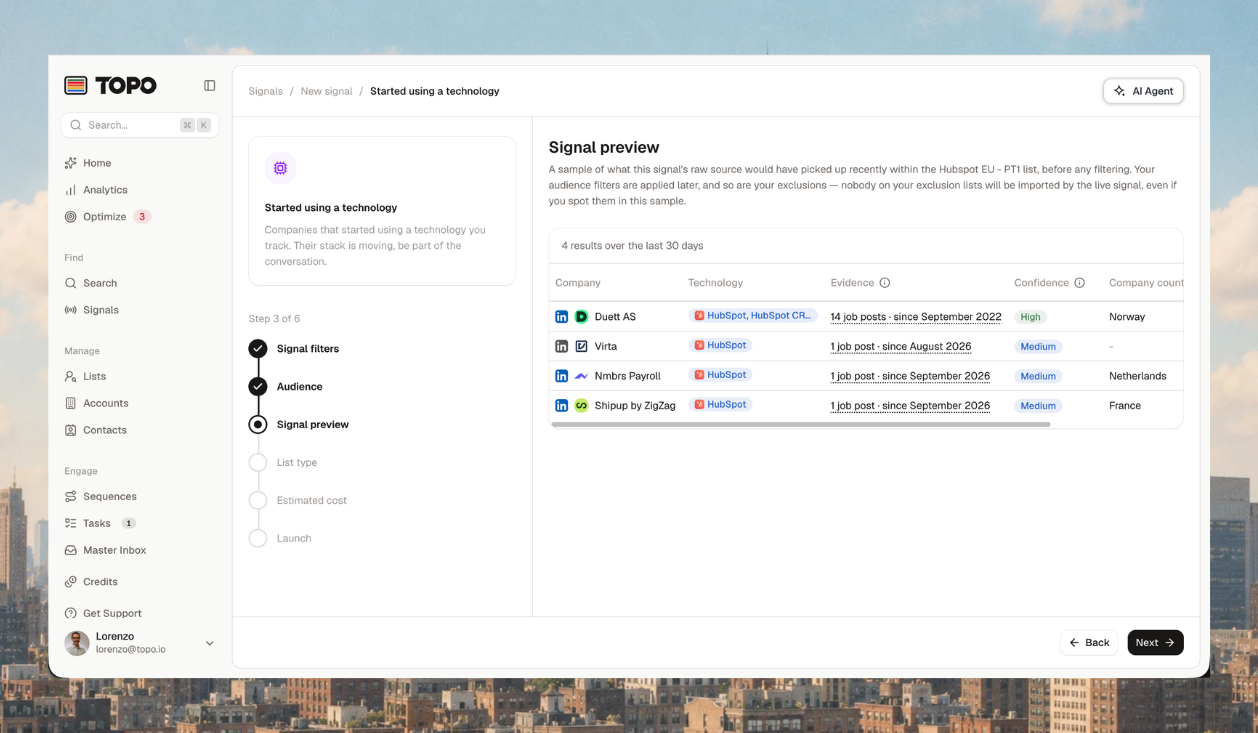
Sources in the signal preview
Each match shows a confidence label (high, medium, low) and a link to its source.
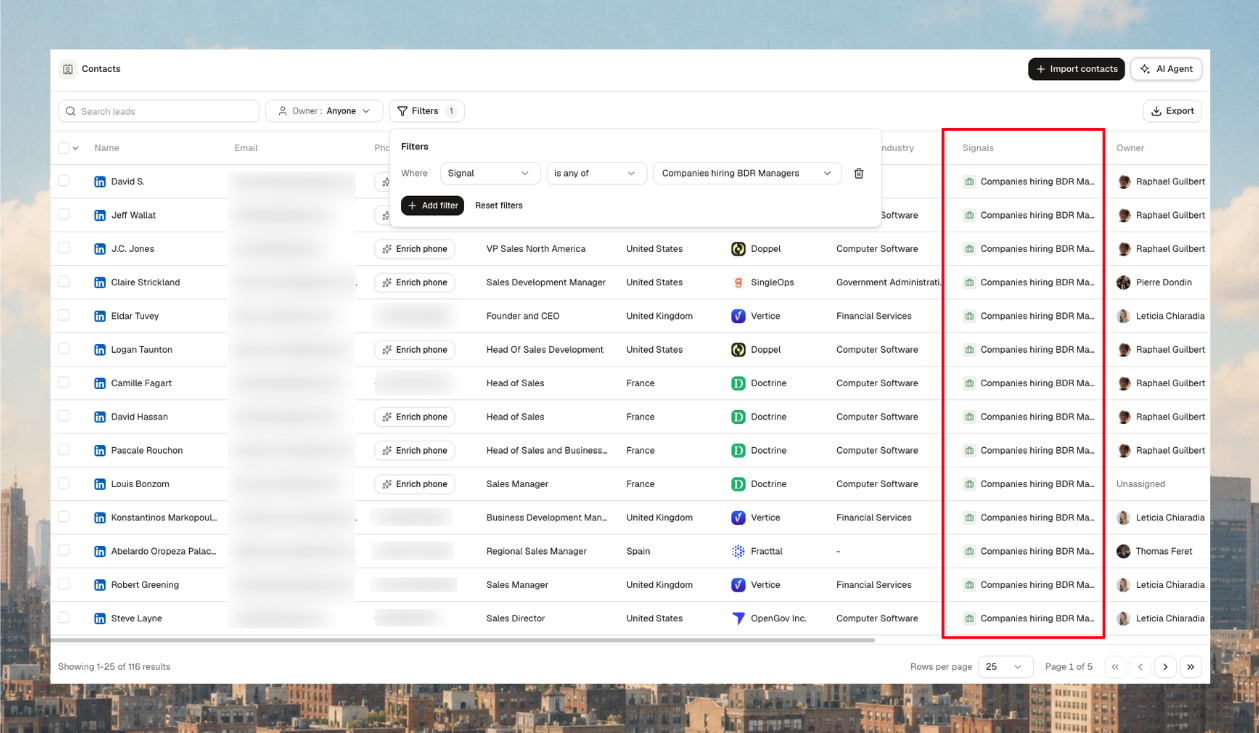
Filter contacts and accounts by signal
Open Contacts or Accounts and filter by any signal to see everyone it caught.
Signal metrics page
Settings shows, per signal, how many people and companies were picked up, accepted and rejected.
Clearer alerts
Alerts are rewritten in plain language and each points to the action that fixes it.
14 September 2026
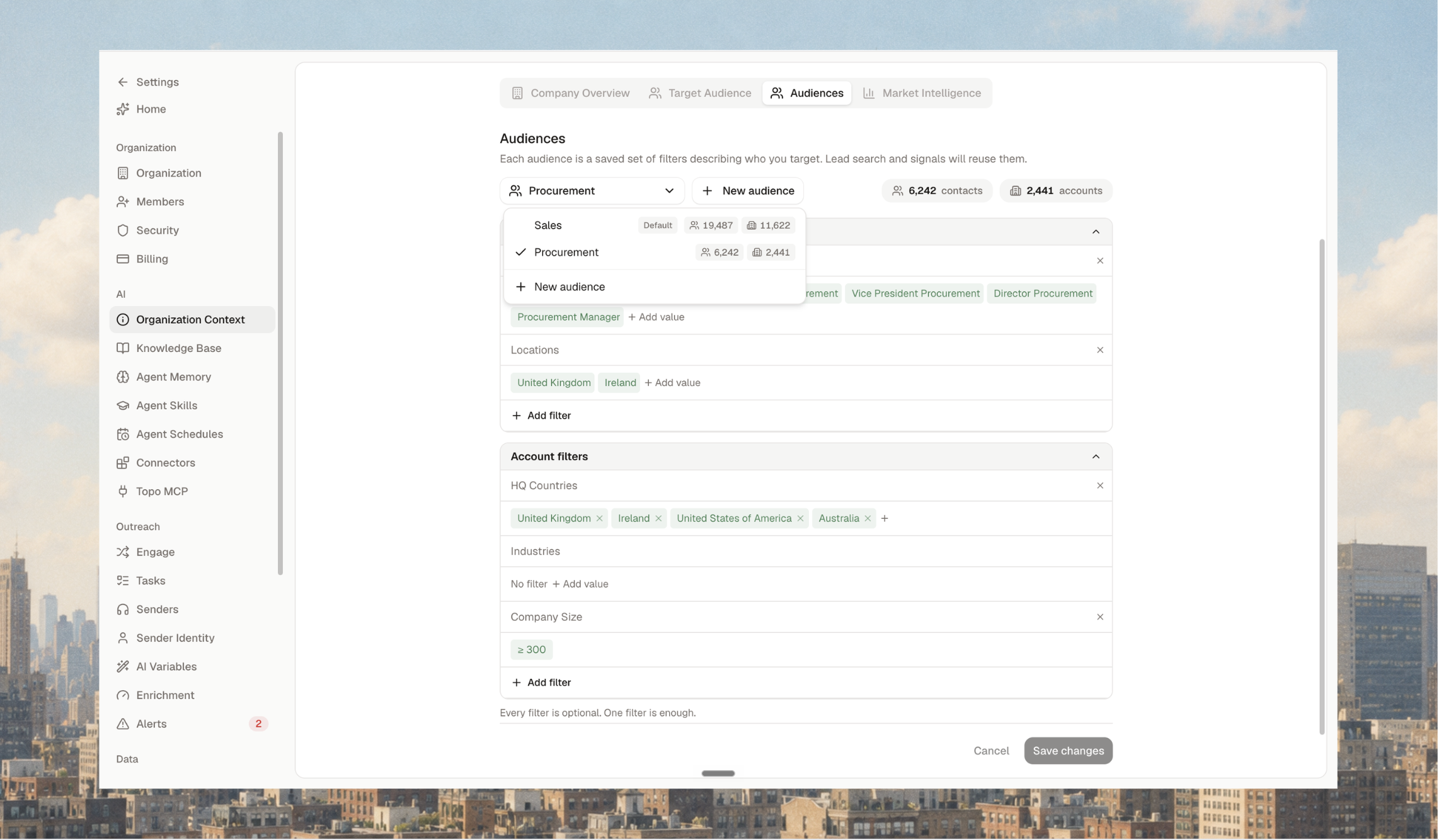
Audiences
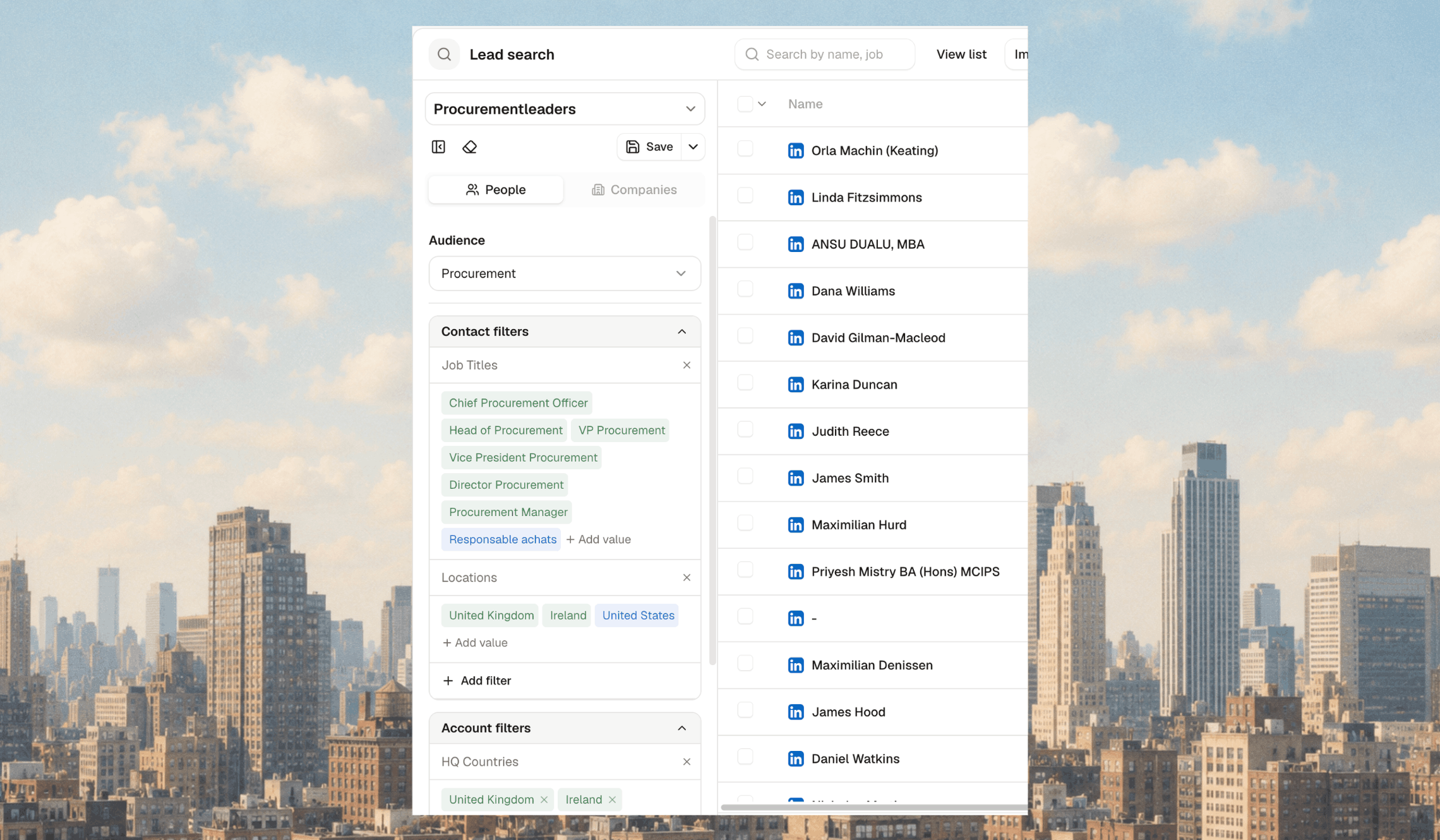
Define one audience per persona in Organization Context → Audiences, each with an estimate of its addressable market. Existing target audiences were backfilled. Select an audience in Lead Search, or ask the agent to search within it.
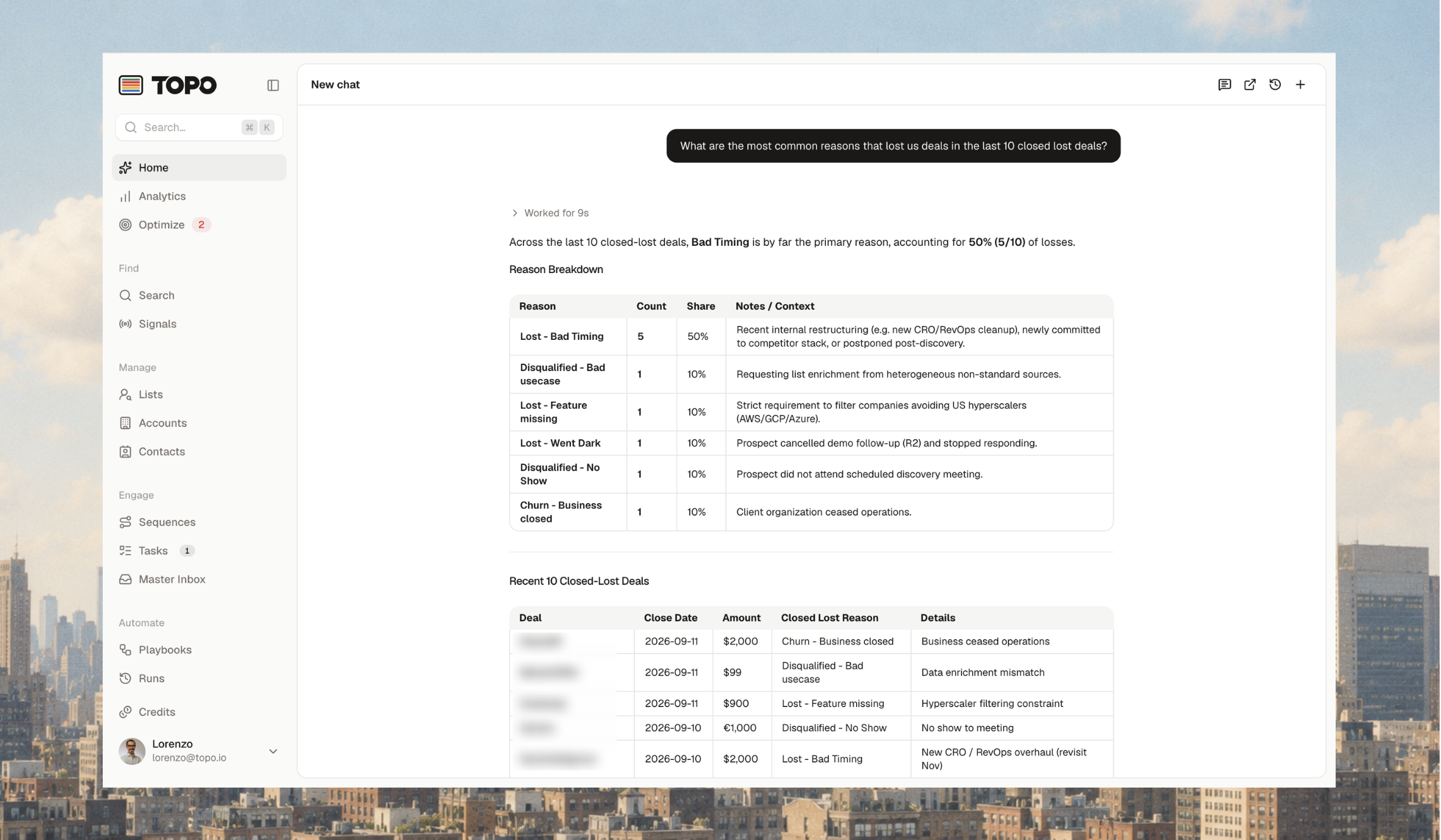
The agent reads your HubSpot
Ask about accounts, contacts, statuses and open deals without leaving Topo.
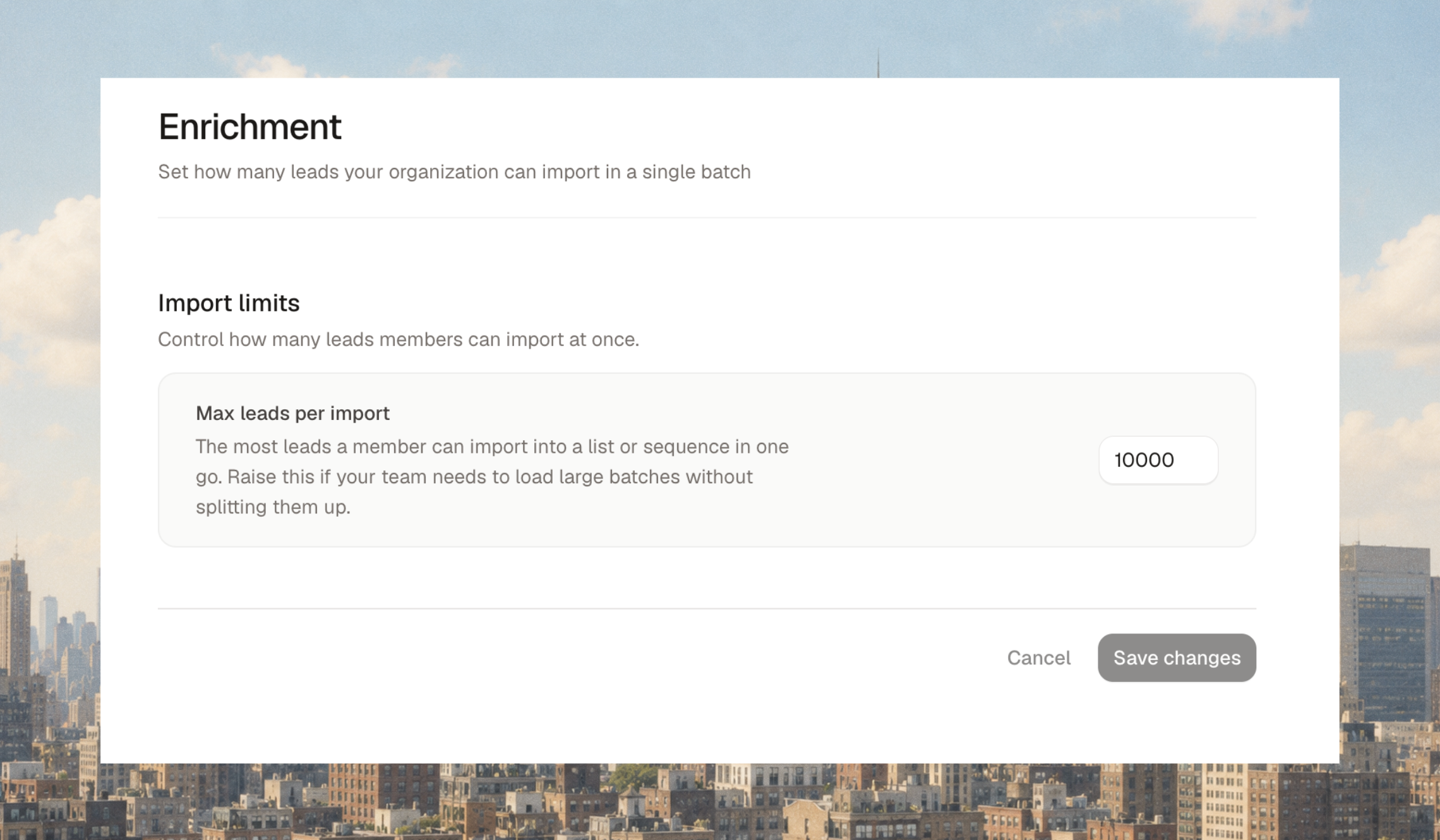
Set your own import limit
Settings → Enrichment holds the cap on how many leads a search imports at once. Raise or lower it yourself.
Other improvements (14 September)
Faster loading across the app.
Profile pictures.
Signal filter on Accounts and Contacts.
8 September 2026
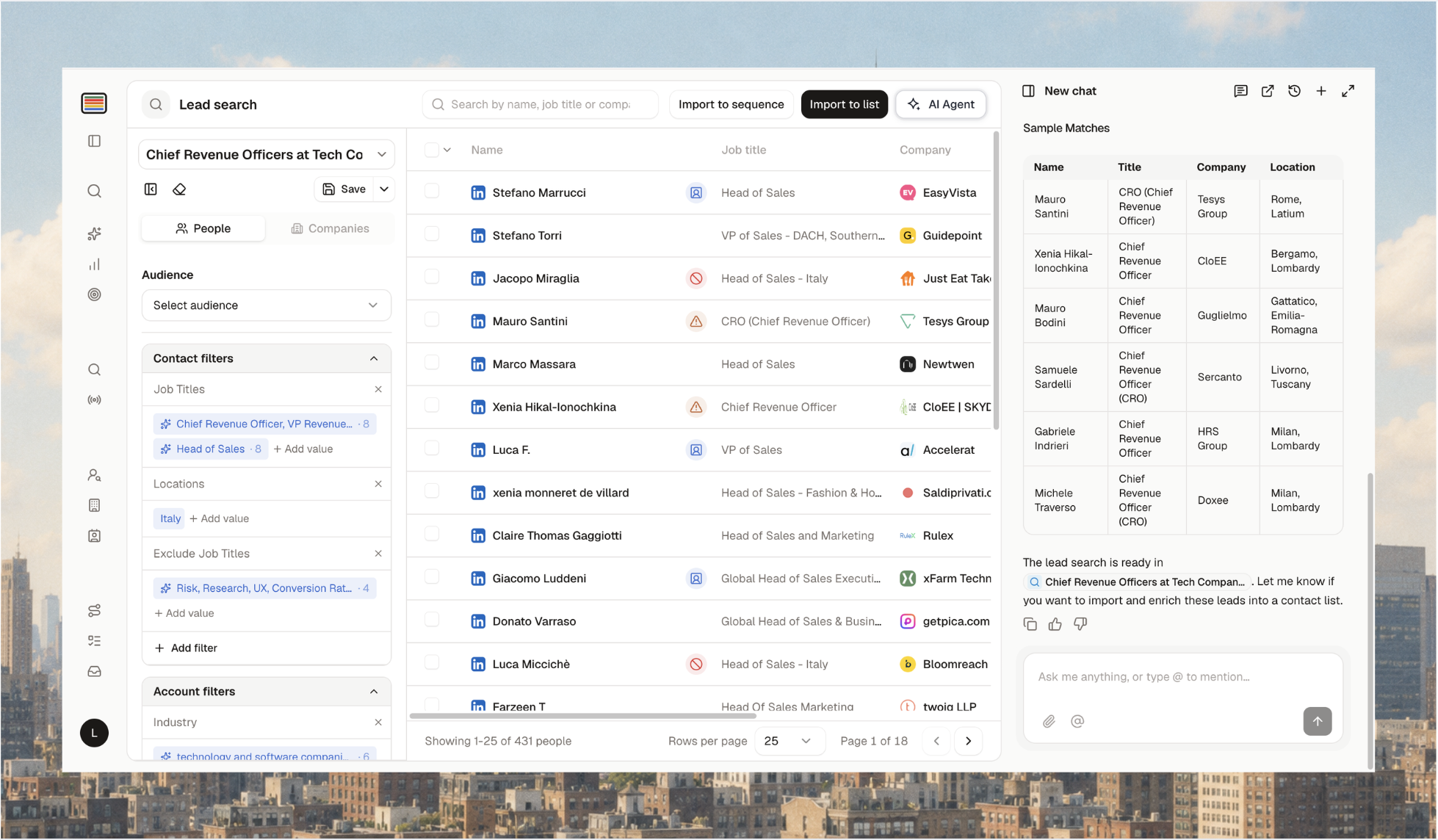
New Lead Search
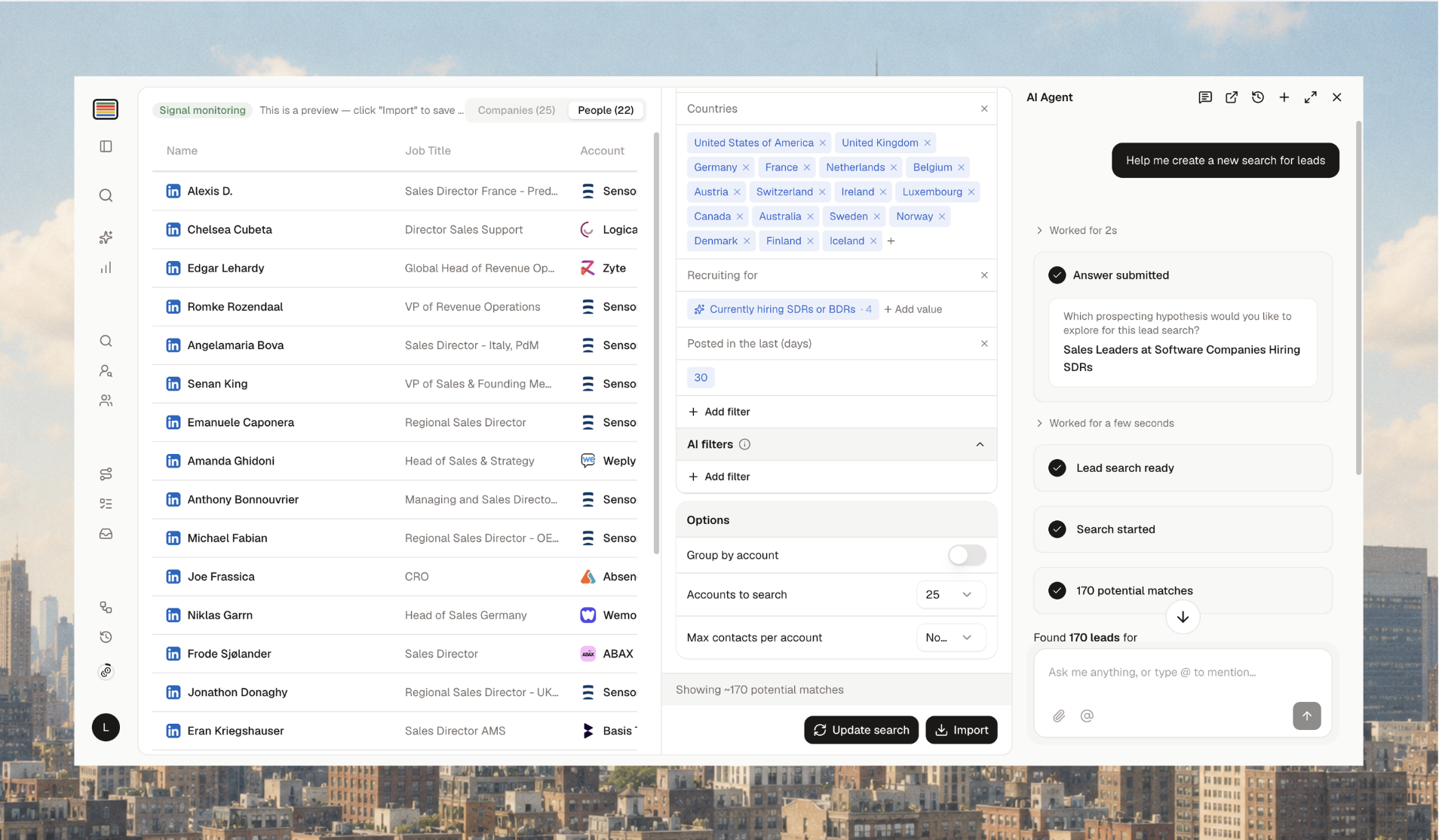
Search people or companies on firmographic and personal criteria, or prompt the agent to build the filters. You see every match, not a 25-result preview. Import into a list or straight into a sequence, or save the search.
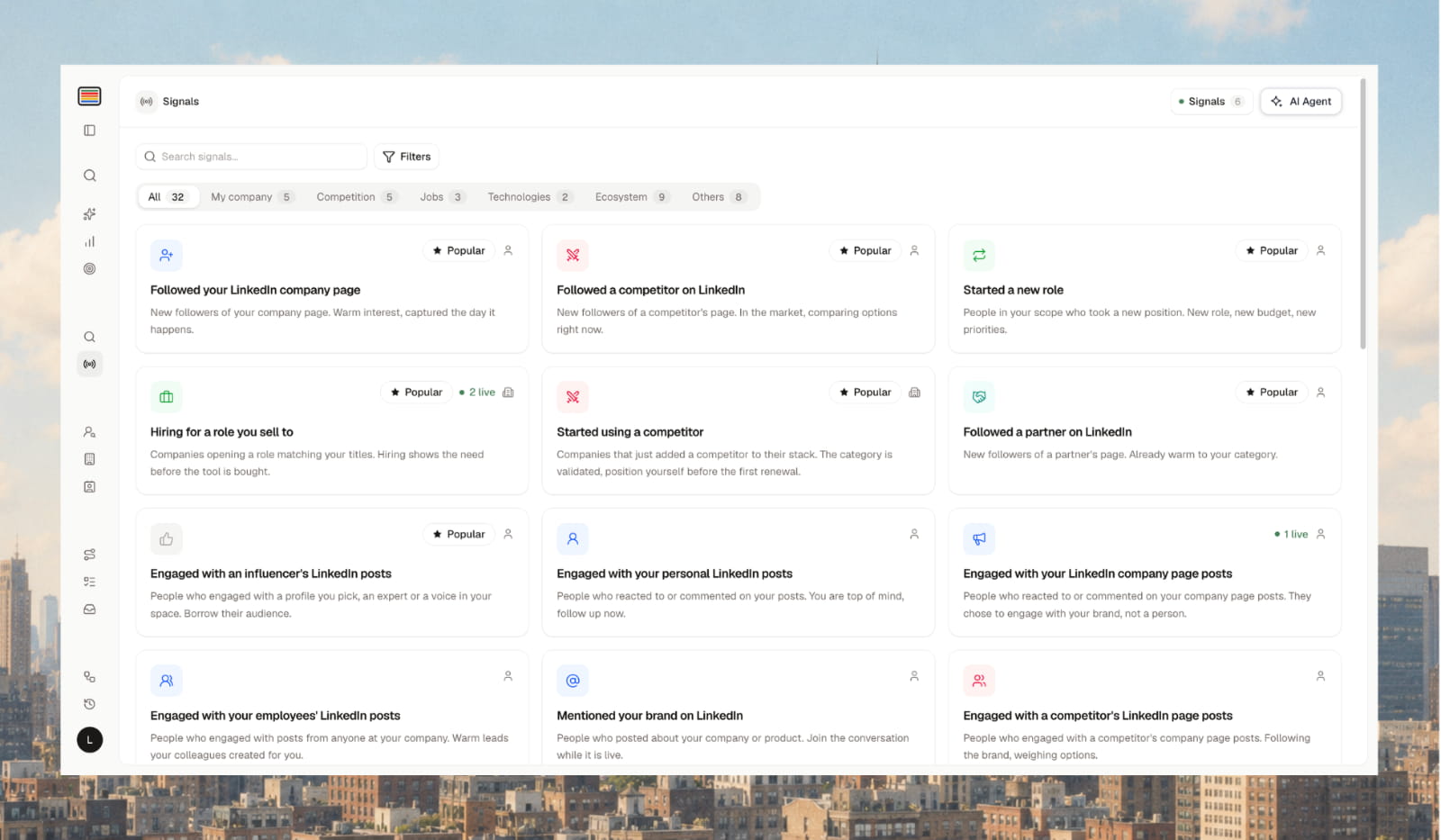
Signals
Subscribe to a signal, set a daily cap, and Topo keeps a live list topped up. New signals: engagement on posts by your company, a competitor or a person, and keywords in LinkedIn posts. They join followers, hiring, job description keywords, technology adoption, job changes and custom events.
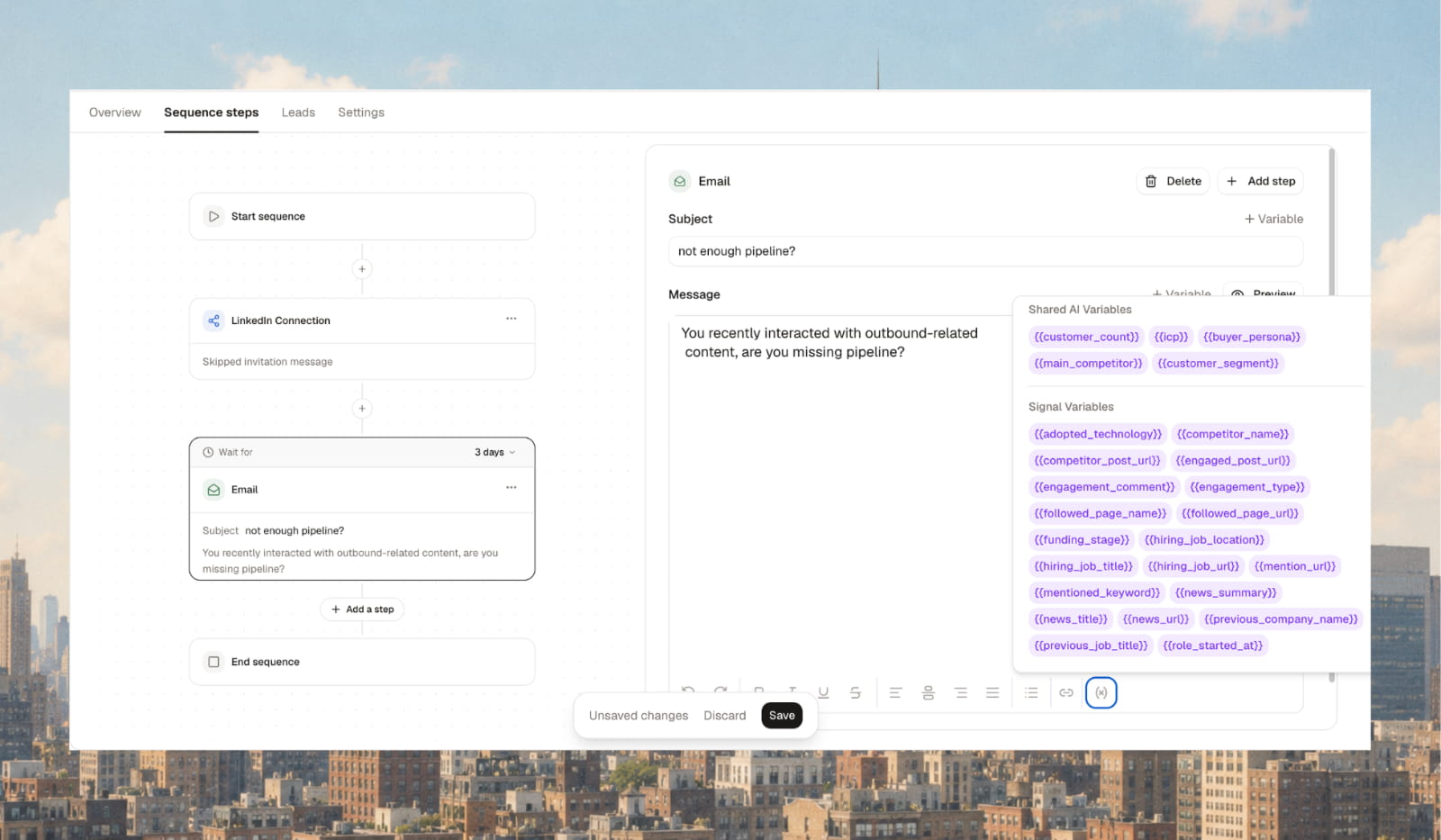
Signals as outbound variables
The lead details panel has a Variables section showing the signal's source and a variable you can use in messaging. Create custom variables manually too.
What changes: lists on auto-import became static lists. For leads that keep arriving, use Signals.
3 September 2026
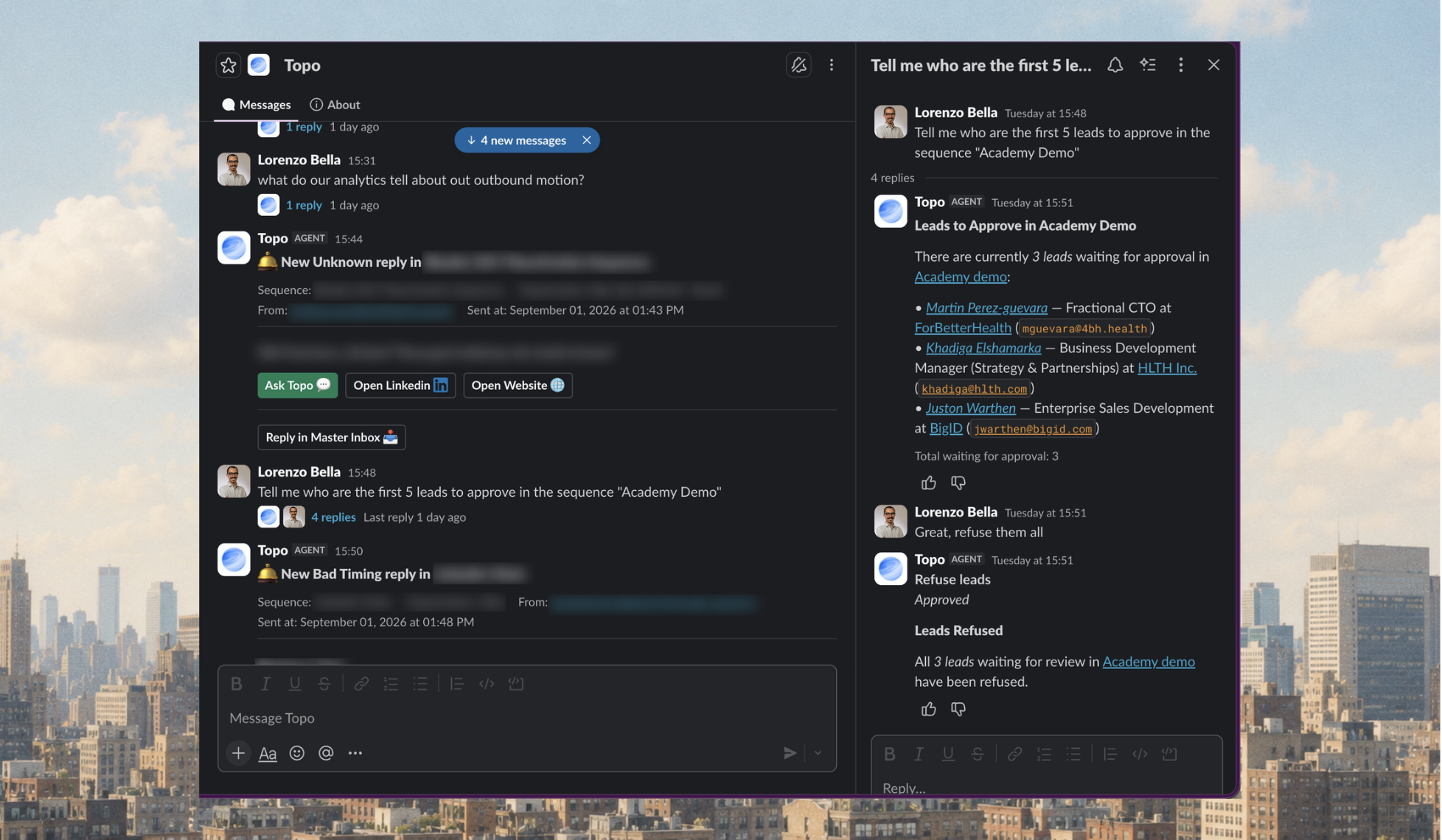
@Topo in Slack
Message the Topo app or mention @Topo in a channel to talk to the same agent as in the app, with buttons for decisions. Requires the Slack integration (Settings → Integrations).
Agent schedules
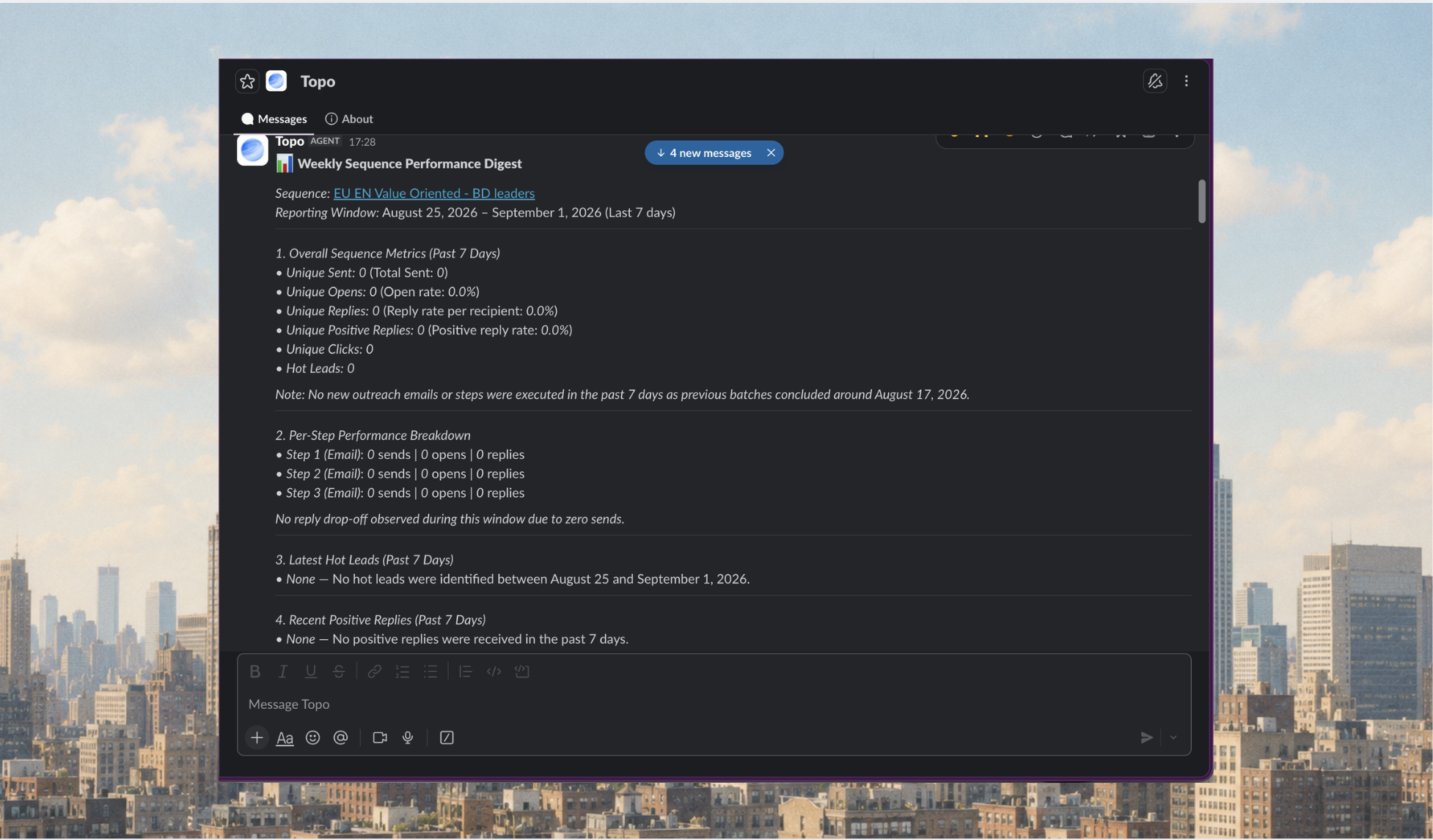
Give the agent a job and a time ("Every Monday at 09:00, send me a recap of last week's best sequences"). It runs in the background and delivers to Slack.
Connectors
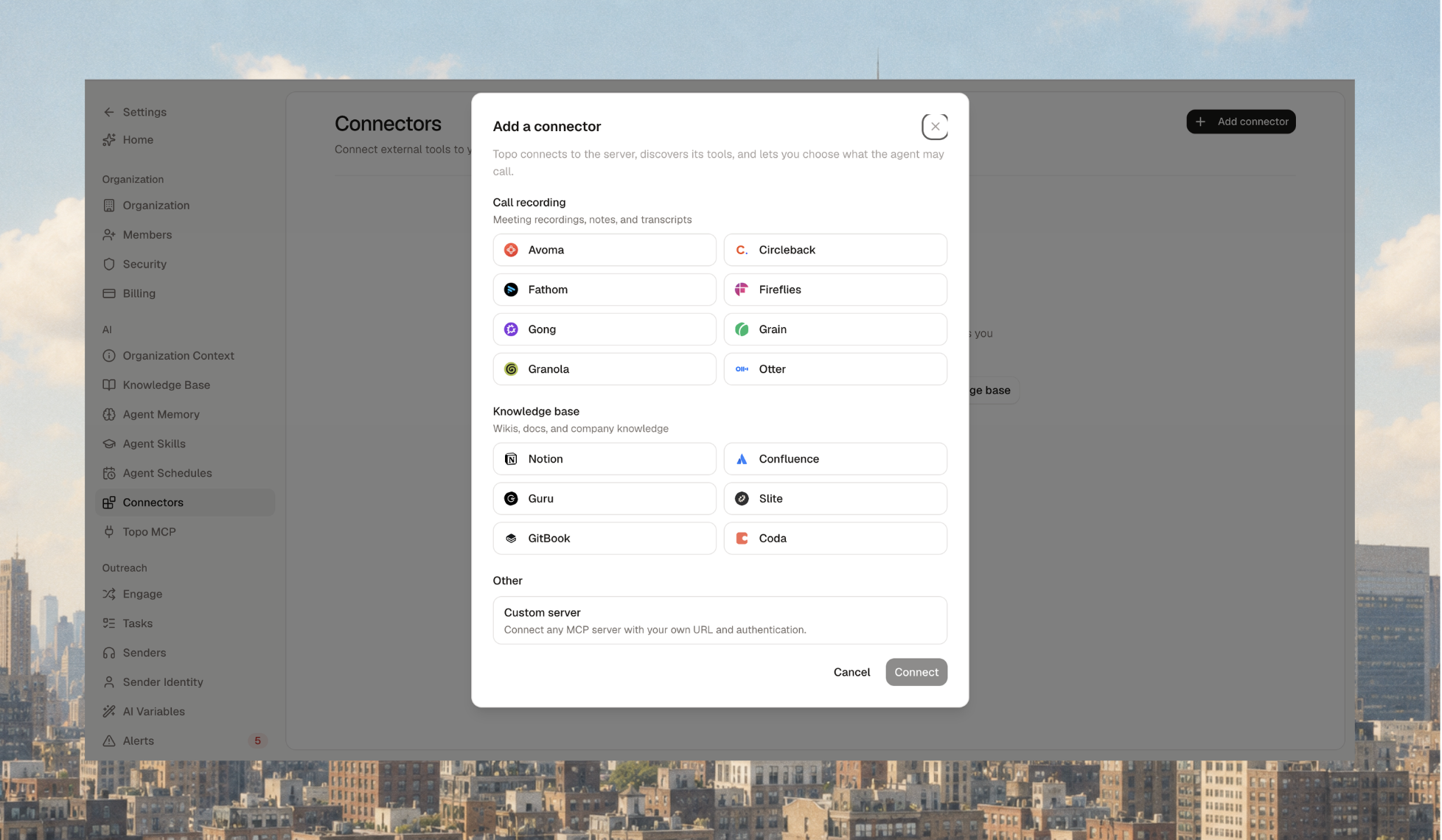
Connect call recorders (Fathom, Fireflies, Gong, Circleback, Grain, Granola, Otter) and knowledge tools (Notion, Confluence, Guru, Slite, Gitbook, Coda), or any tool with an MCP server via custom MCP. You decide, action by action, whether the agent acts alone or asks first.
Knowledge base for the agent
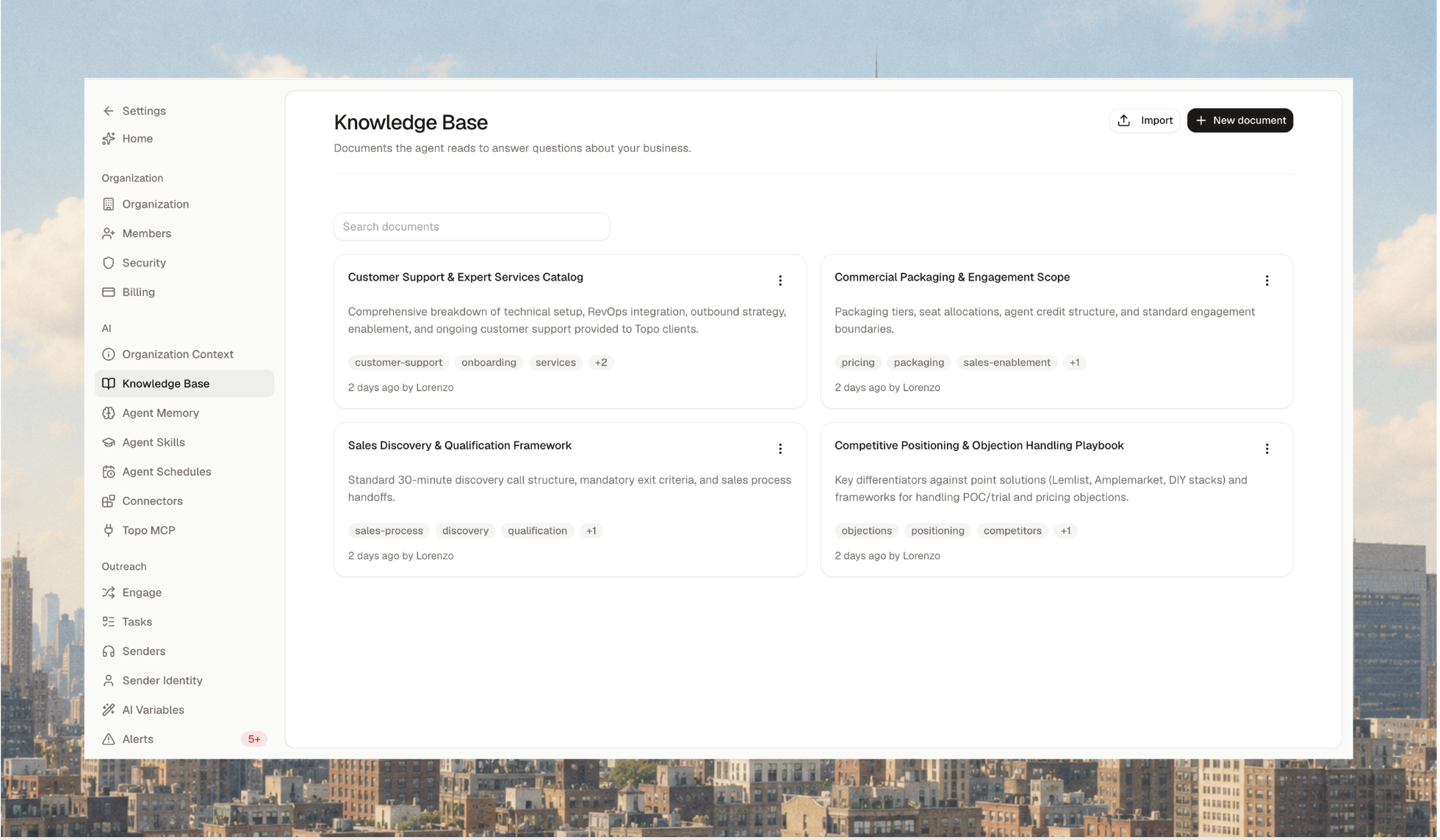
Store articles about your company, process and selling in one place. Write them, import from a file or URL, or let a connector create them.
31 August 2026
Accounts
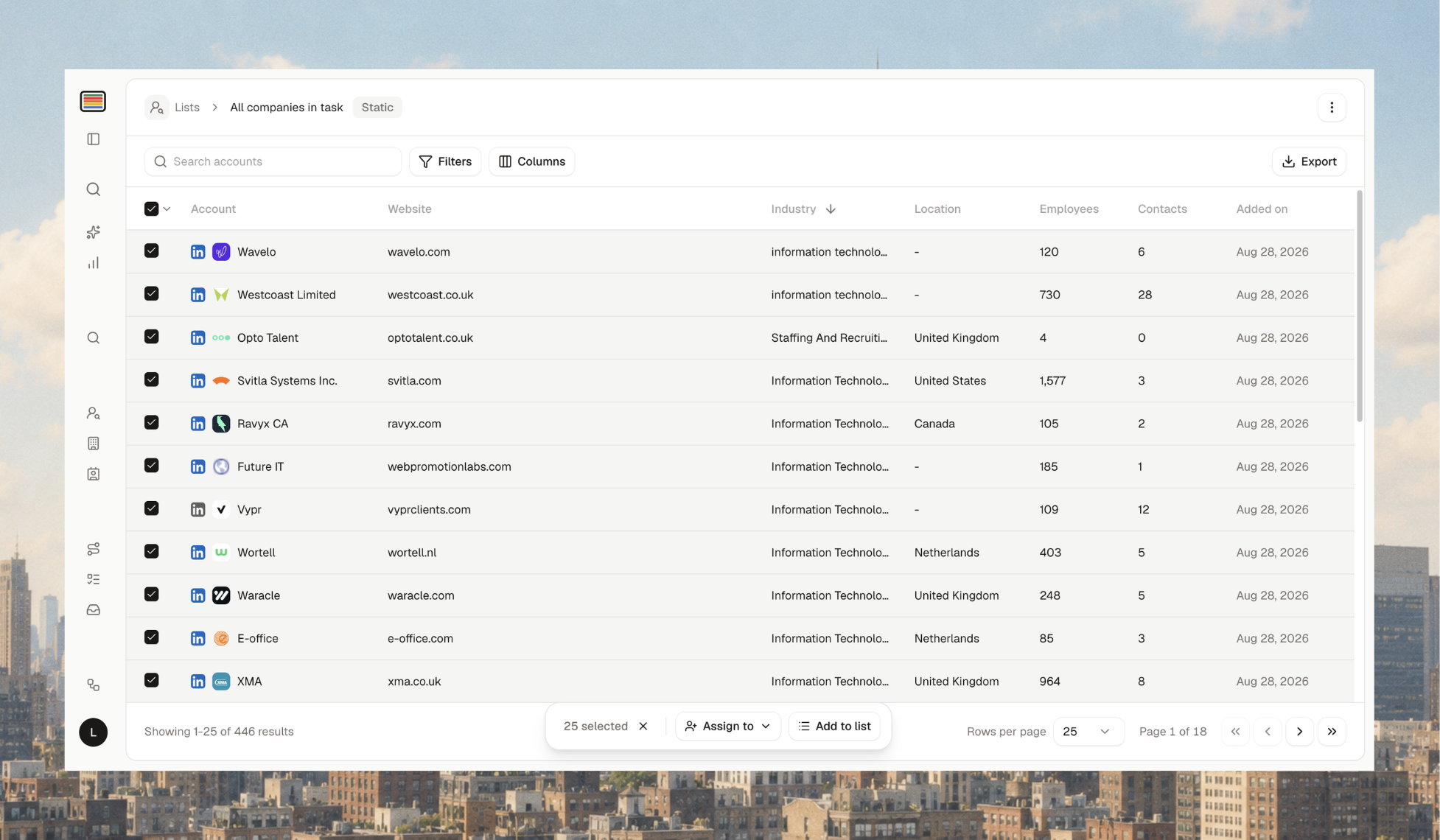
A new page listing every company you have a contact at. Set owners, group companies into account lists (from a selection, your CRM or a CSV), and search for people only inside an account list.
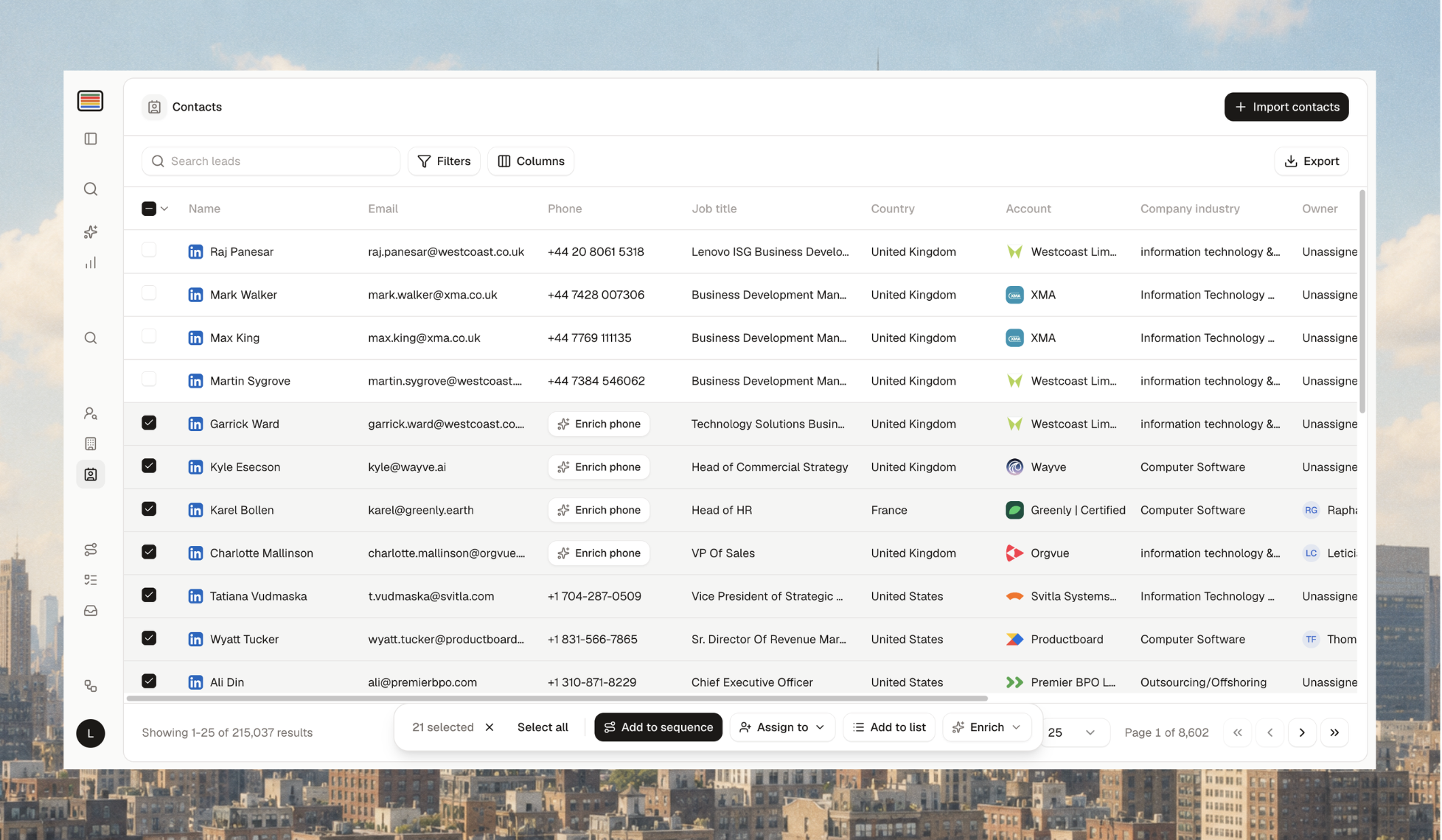
Leads is now Contacts
Same people, with an action bar: add to sequence, assign an owner, add to list, bulk enrich email or phone, and Copilot approvals.
24 August 2026
Topo AI Agent
A conversational agent that acts across the platform, with memory and skills. Nothing is created or contacted until you approve, and chatting costs no credits.
Find leads in plain language and build, update or export lists.
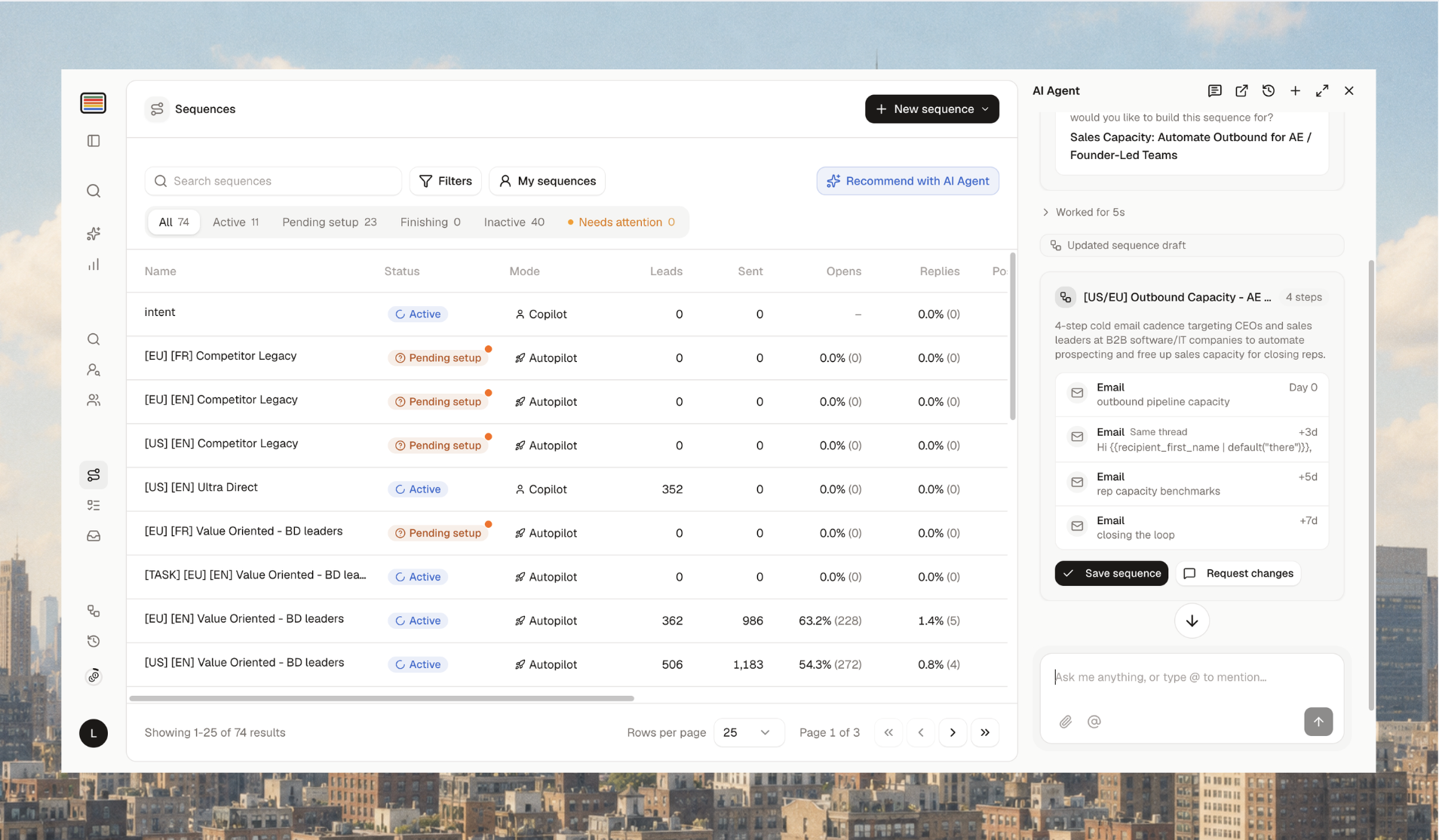
Draft sequences with steps, channels, delays, copy, AI variables and senders.
Analyse sequence performance and get the first thing to fix.
Work through replies and tasks. It sees the page you're on and the rows you selected.
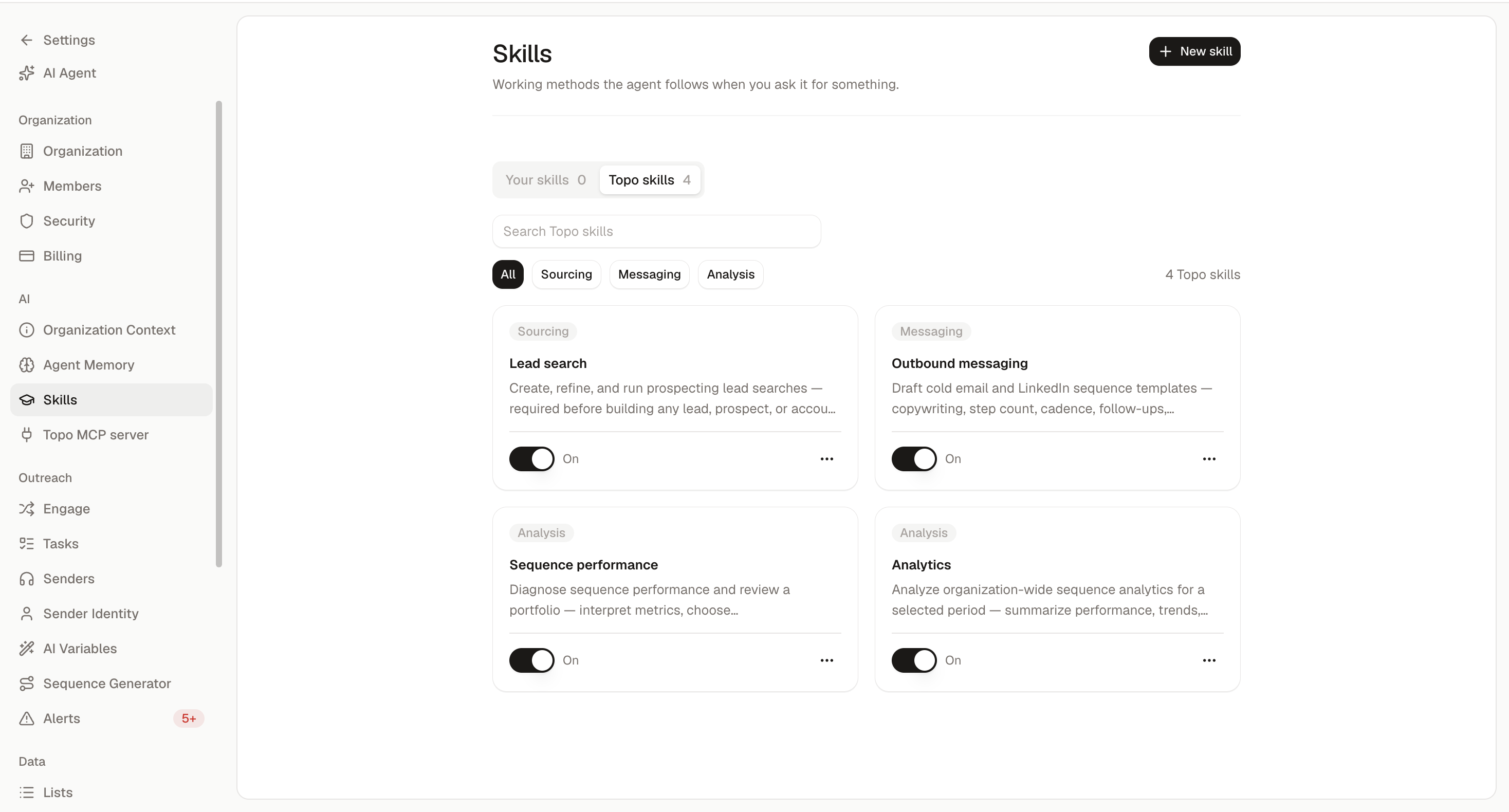
Agent Memory and Skills (Settings) make answers sharper over time.
Sequences redesign
Every sequence page is revamped: performance issues are easier to spot and settings easier to change. Sequences can be tagged.
17 August 2026
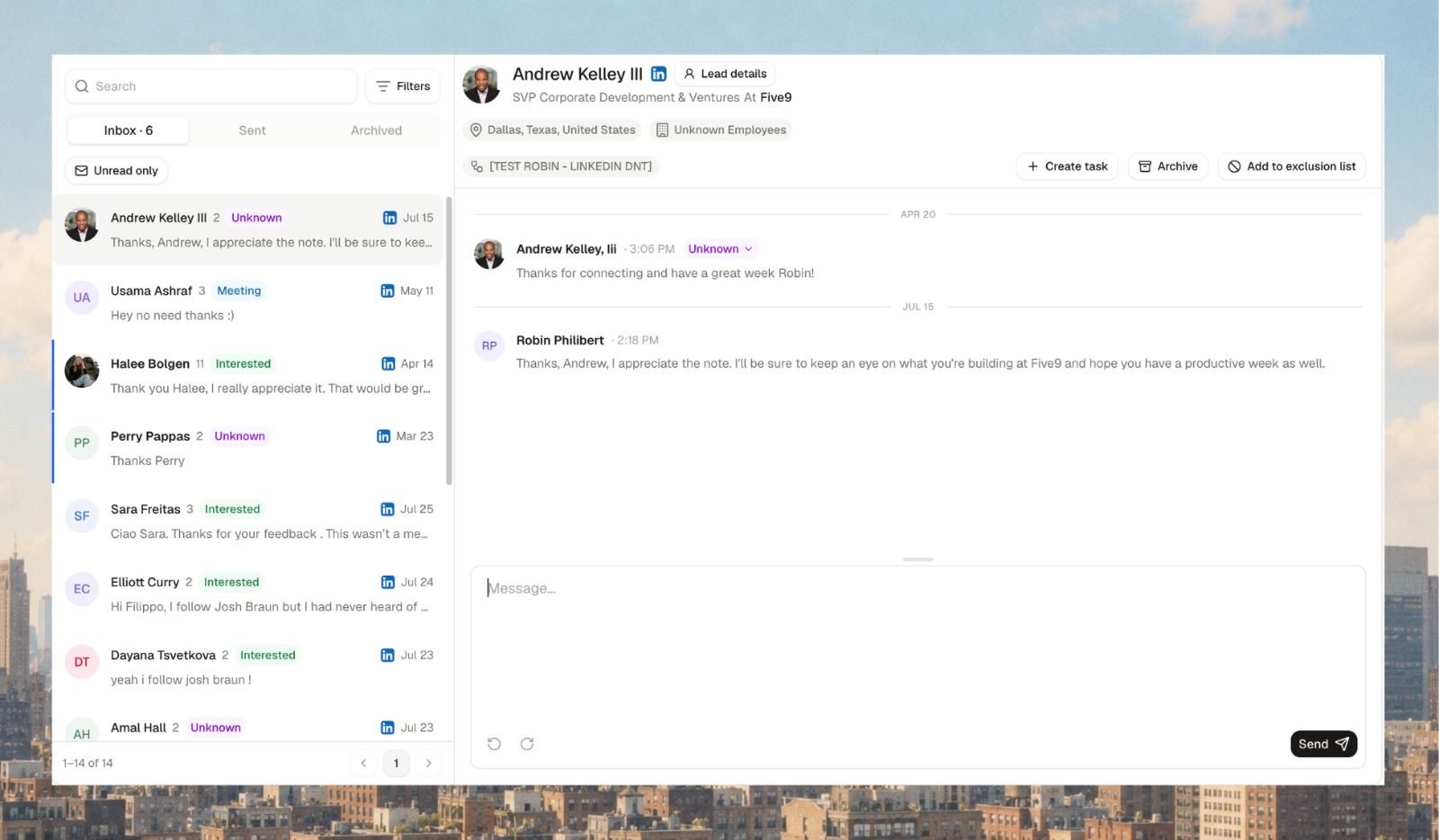
Master Inbox redesign
Three tabs, Inbox, Sent and Archived, with Create task, Archive and Add to exclusion list actions on each conversation. Bounces show as a delivery status in Sent.
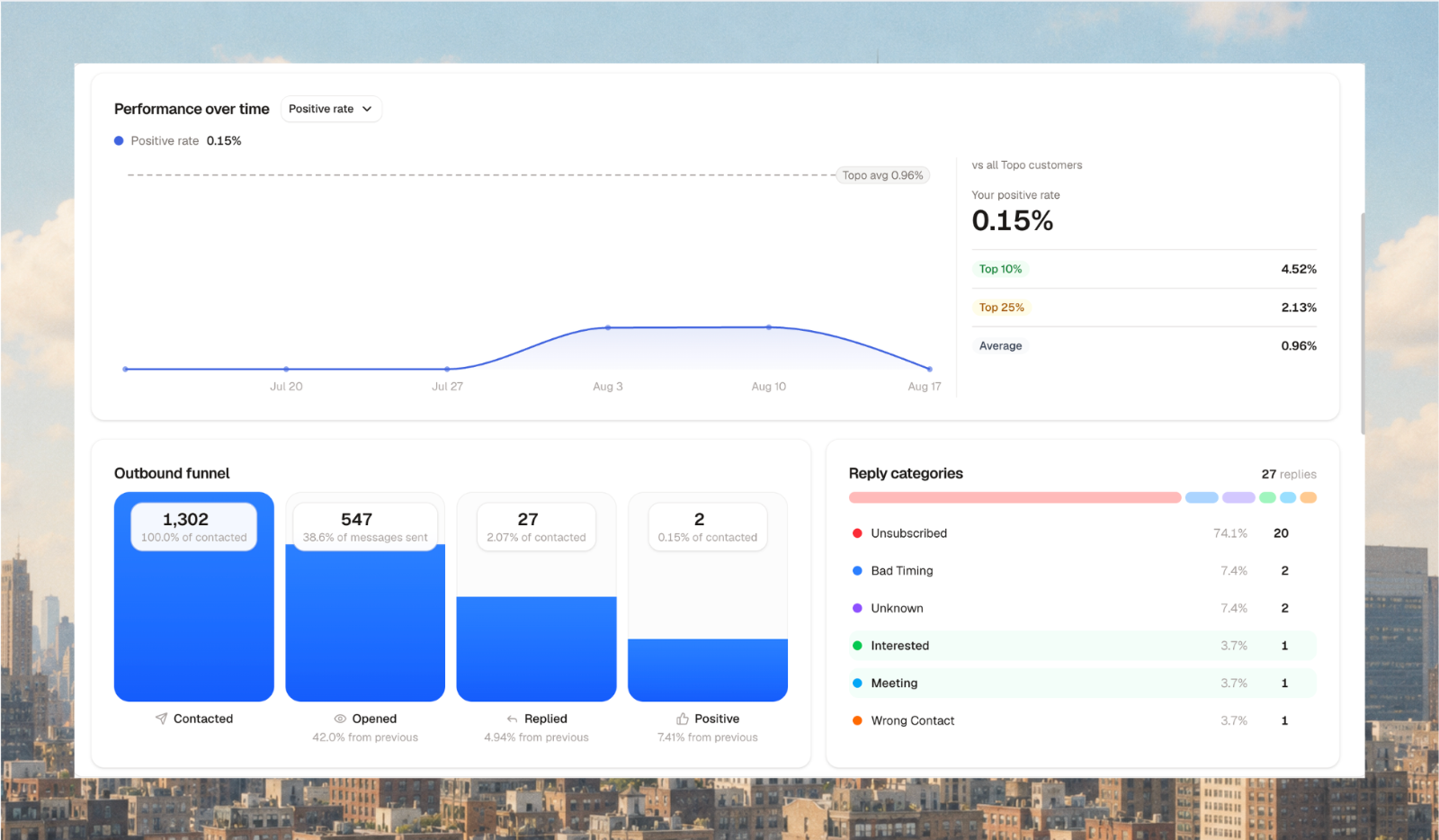
Analytics replaces the Dashboard
Your full outbound funnel, replies by category, a sortable and exportable sequence comparison, and benchmarks against all Topo users. Filter by channel, period, sequence, sender or identity. Bounces and out of office are kept out of reply metrics.
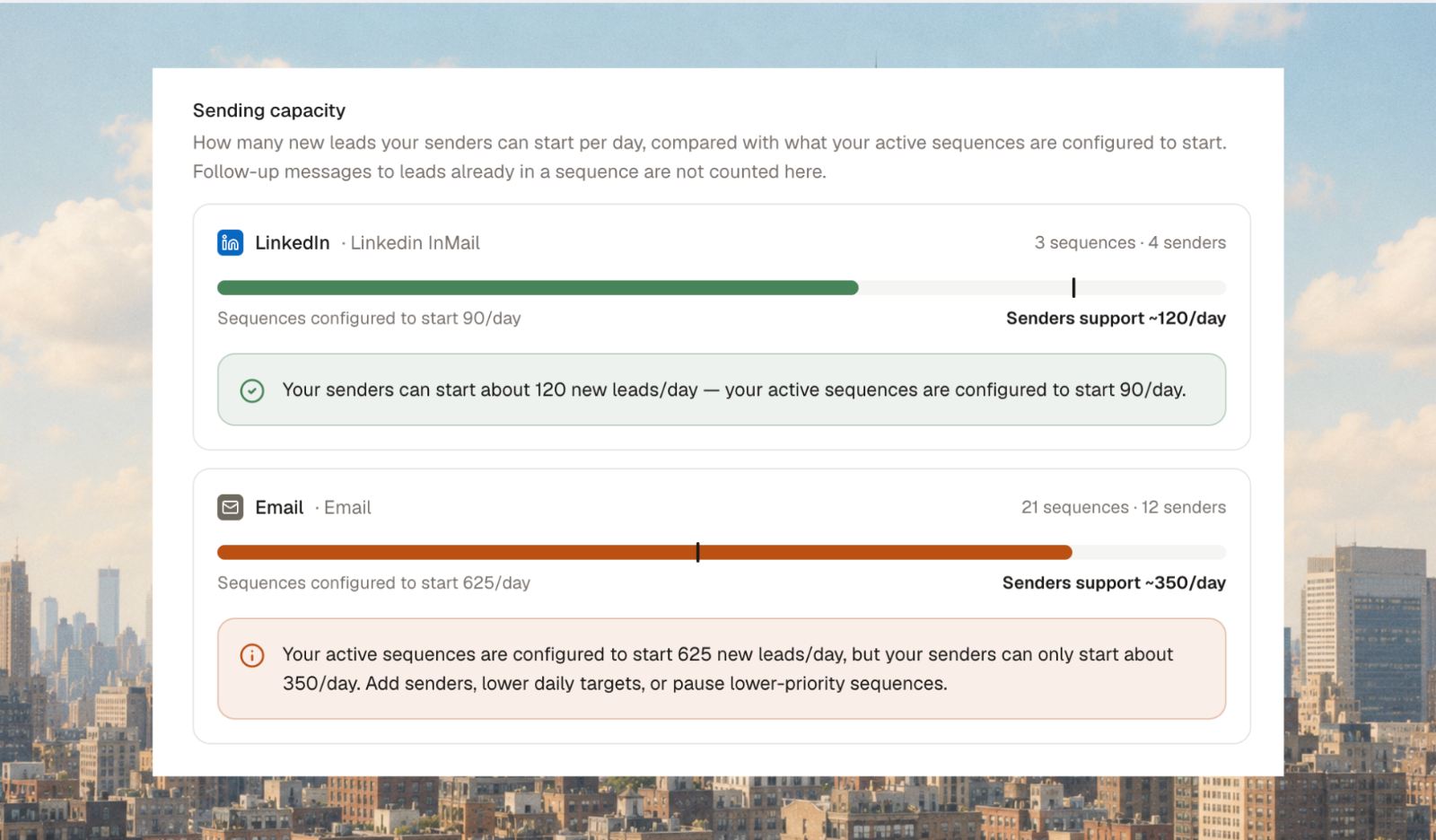
Sender capacity
Settings → Senders → Capacity shows each sender's daily usage against its ceiling, and whether your active sequences ask for more than your senders can deliver.
Save all approval edits in one click
Edit every step of a New Lead task and save once. Copy those edits to the next lead from the same company in one click.
10 August 2026
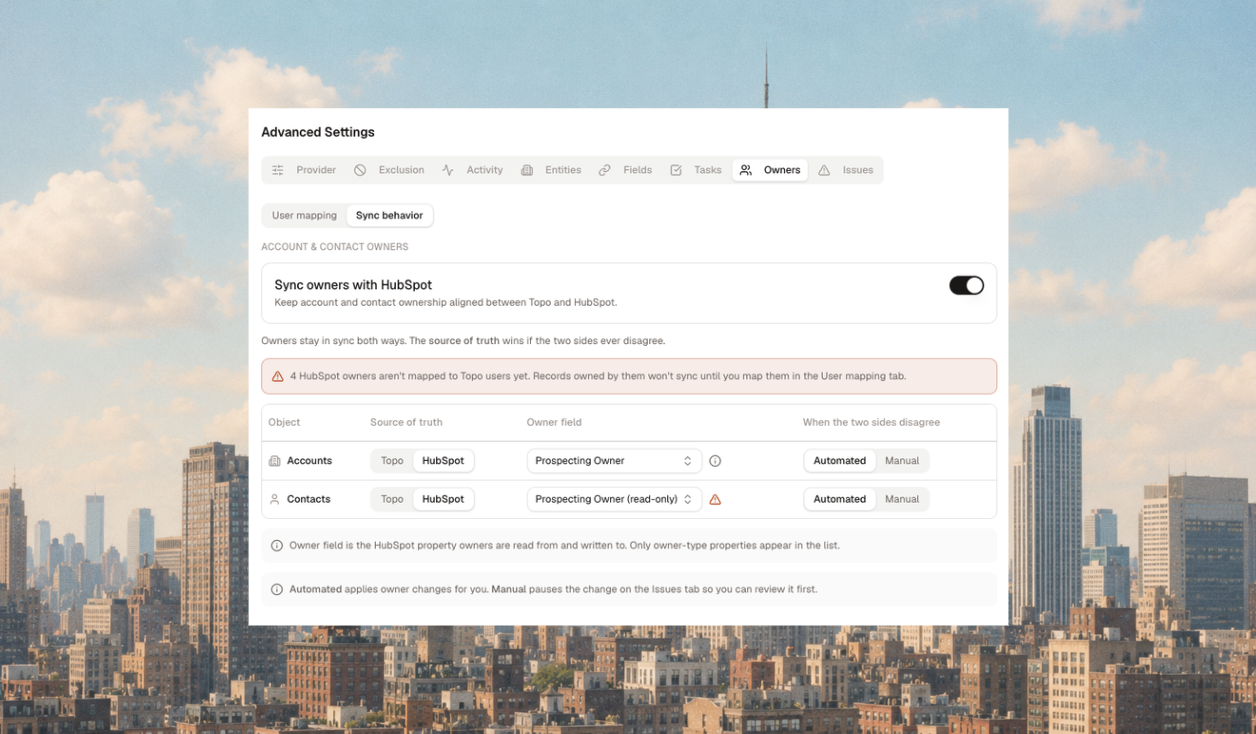
Two-way ownership sync with your CRM
Account, contact and task ownership sync between Topo and your CRM in both directions.
Reassign on either side and contacts and tasks follow.
CRM users are matched to teammates by email. Manual overrides stay put.
Pick the source of truth separately for accounts and contacts. Conflicts show on the Issues tab.
Off by default. An admin turns it on, with a connected CRM.
Faster task queue
Bulk approve and enrol, or refuse, New Lead tasks. Filter by list, sort by date, snooze or archive tasks.
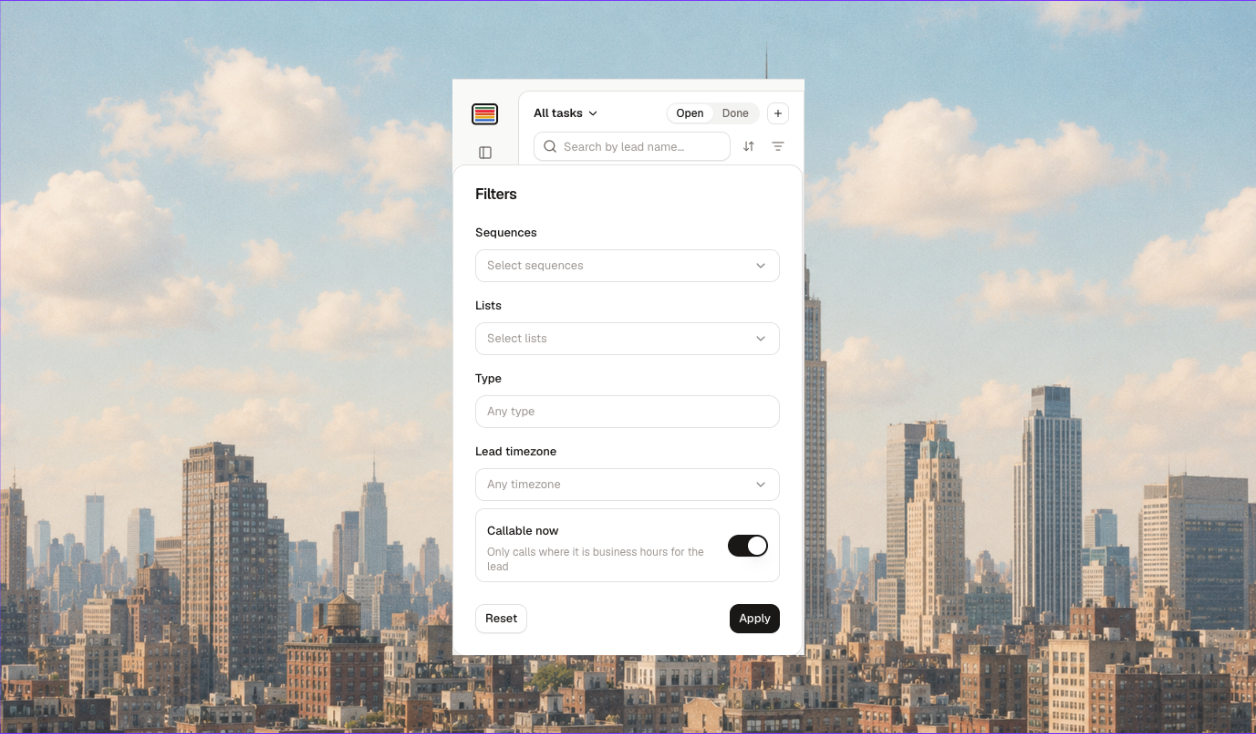
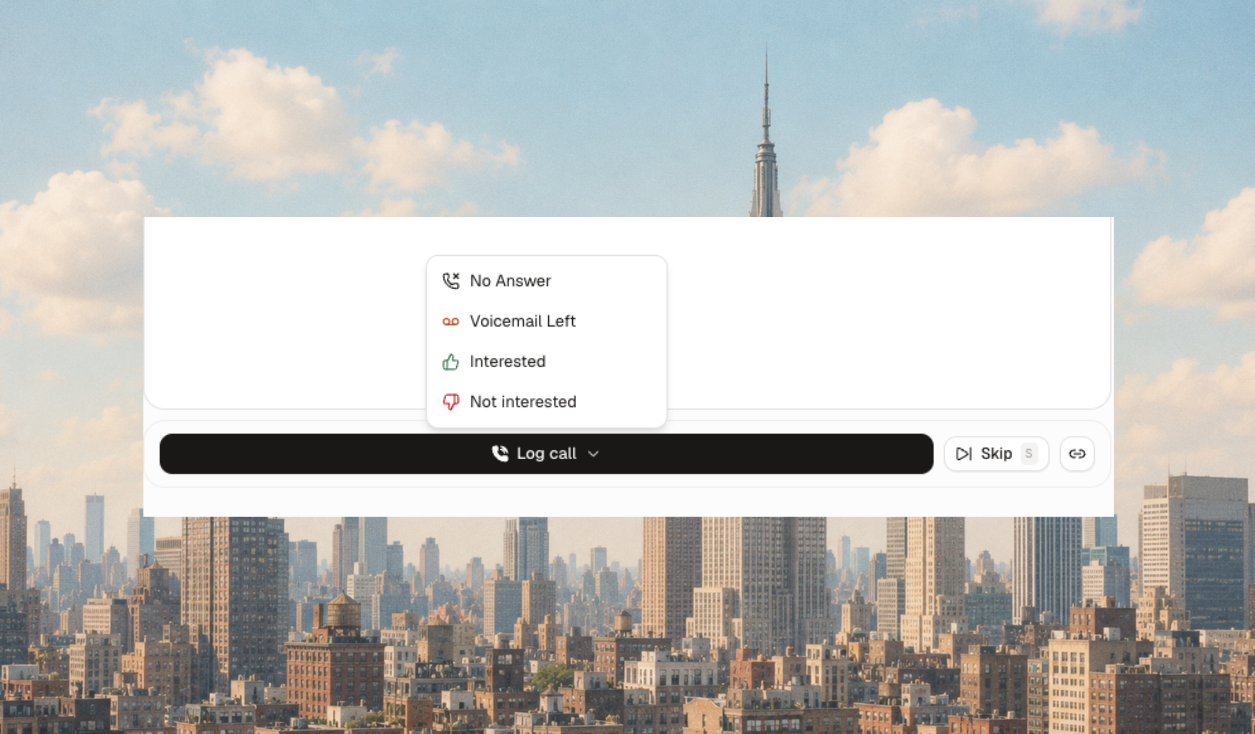
Better call tasks
Click the number to dial, log the outcome on the task, stop the sequence and exclude in one action, and filter by Callable now or lead timezone.
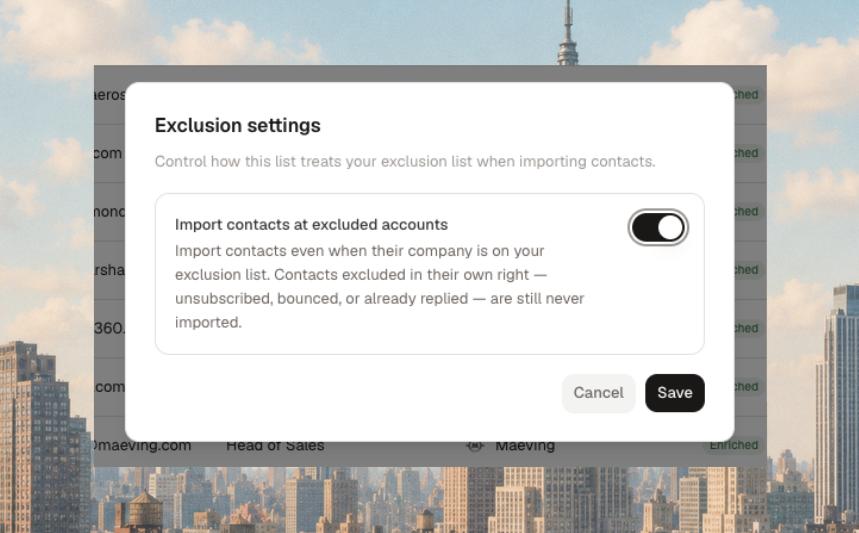
Contact people at excluded accounts
For cross-sell and upsell. Switch on "Contact people at excluded accounts" on both the list and the sequence. You need both.
Other improvements (10 August)
Lists and sequences show their creator.
Notifications for New Lead tasks.
Reply tasks come back if the lead never answers.
Refuse a lead and exclude them, or their company, in one go.
Approval task edits save as you go.
Keyboard shortcut to refuse a lead.
Task links open the task itself.