Why do I see an "unverified app" warning when reconnecting the HubSpot integration?
Last updated: June 25, 2026
Context
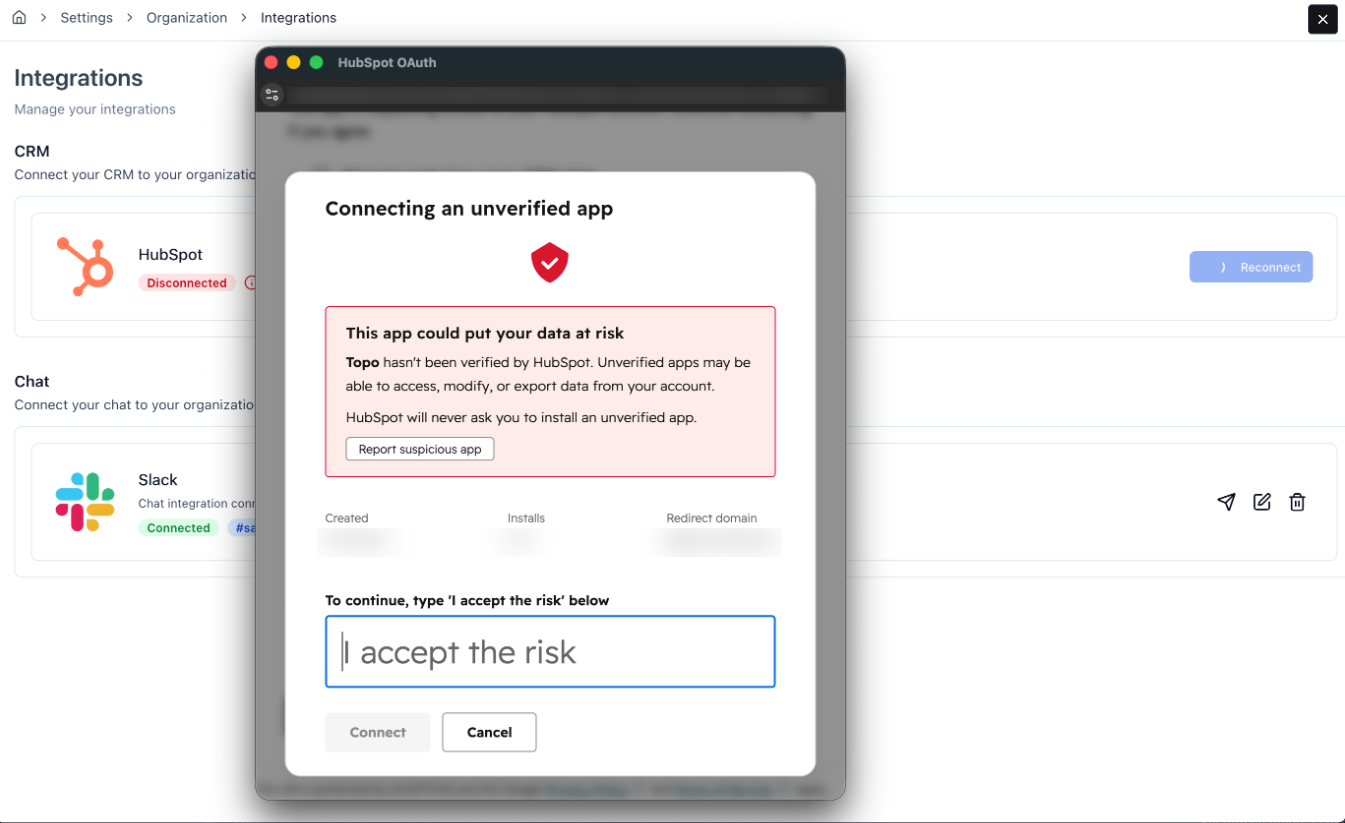
When connecting or reconnecting the HubSpot integration, you may encounter a warning on the HubSpot OAuth screen indicating that the app is unverified, with a prompt to enter "I accept the risk" before proceeding.
Answer
This warning appears because the integration is not yet listed on the official HubSpot marketplace. However, the integration is safe, fully functional and works without any issues.
To reconnect, simply acknowledge the warning by typing "I accept the risk" as prompted on the OAuth screen, then proceed with the reconnection. Your integration will work as expected once reconnected.
If your integration disconnected unexpectedly, check whether any fields in your HubSpot integration settings were recently modified, as this can sometimes trigger a disconnection.