If a contact doesn't accept the LinkedIn connection request, are LinkedIn steps skipped?
Last updated: October 21, 2026
Context
When running hybrid LinkedIn & Email outreach sequences, you may wonder what happens when a contact doesn't accept your LinkedIn connection request. You might want to know if there's a way to bypass the LinkedIn steps and move directly to the email steps in your sequence.
Answer
Yes, contacts who don't accept LinkedIn connection requests will automatically move to the next step in your sequence once the specified waiting period expires.
By default, Topo waits 7 days for a connection request to be accepted before timing out. This behavior is controlled by your sequence messaging, where you can configure:
How many days to wait for a connection before the task fails
What action to take if no connection is established after the delay period
Important: If a contact accepts the connection request after the timeout period has expired, the LinkedIn steps will not resume. The sequence will continue with email steps (if configured) and will not go back to execute the skipped LinkedIn steps.
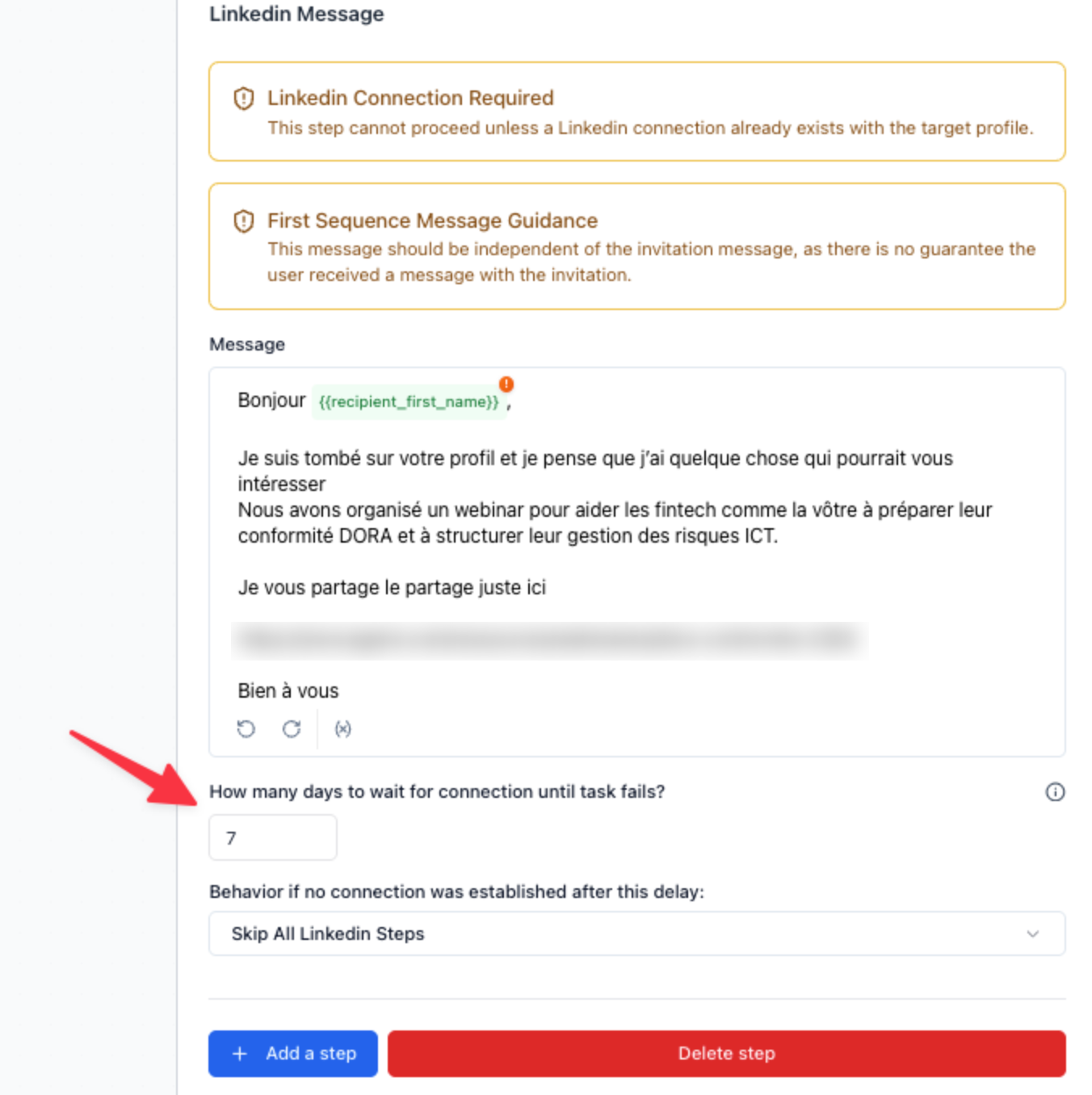
If you select "Skip All Linkedin Steps", Topo will automatically progress contacts to the subsequent email step based on these timeout settings, so you don't need to manually intervene or bypass anything - it's handled automatically by the platform.
Important: LinkedIn connection request failures do not trigger automatic exclusion from your sequences. Automatic exclusion rules operate independently of whether a contact accepts or rejects a LinkedIn connection request. You can verify this by checking Settings > Exclusion > Excluded accounts and Excluded contacts—contacts who didn't accept connection requests will not appear in these exclusion lists.