Why are my LinkedIn connection request messages not being sent?
Last updated: May 15, 2026
Context
When running a sequence in Topo with message in the Linkedin connection request, you may notice that only the first few connection requests are sent with a personalized message, while the remaining ones are sent as bare connection requests with no message attached.
Answer
This behavior is caused by LinkedIn's invitation message limits. LinkedIn enforces a cap on how many connection requests can include a personalized message, and this limit is significantly lower for free LinkedIn accounts compared to premium accounts (such as Sales Navigator).
When this limit is reached, Topo automatically falls back to sending connection requests without a message, rather than stopping the sequence entirely.
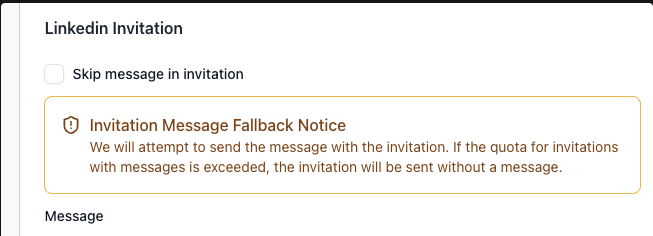
To avoid hitting this limit, consider the following:
Upgrade to a LinkedIn premium plan or Sales Navigator, which provides a higher invitation message allowance (outside of Topo).
Monitor your LinkedIn invitation message usage to avoid reaching the cap mid-sequence.
Skip the message in the LinkedIn connection request.