Lead Search: Prompting best practices
Last updated: September 8, 2026
Getting great results from the List Builder starts with how you communicate your targeting to the agent. This article explains how the Organization Context and your targeting prompt work together, how to structure your prompt for precision, and how to avoid common pitfalls that lead to noisy or off-target lists.
How Organization Context and Prompts Work Together
The List Builder agent relies on two layers of information to build your lists: your Organization Context and your list targeting prompt. Understanding the relationship between the two is key to getting accurate results.
Organization Context: your default ICP
Your Organization Context is set during onboarding and describes your company's core Ideal Customer Profile. Think of it as the answer you would give if someone asked you: "Who does your company sell to?" It should cover your typical target industries, company sizes, geographies, and buyer personas.
Take the time to fill this out carefully. The more complete and precise your Organization Context is, the better the agent performs across all your campaigns.
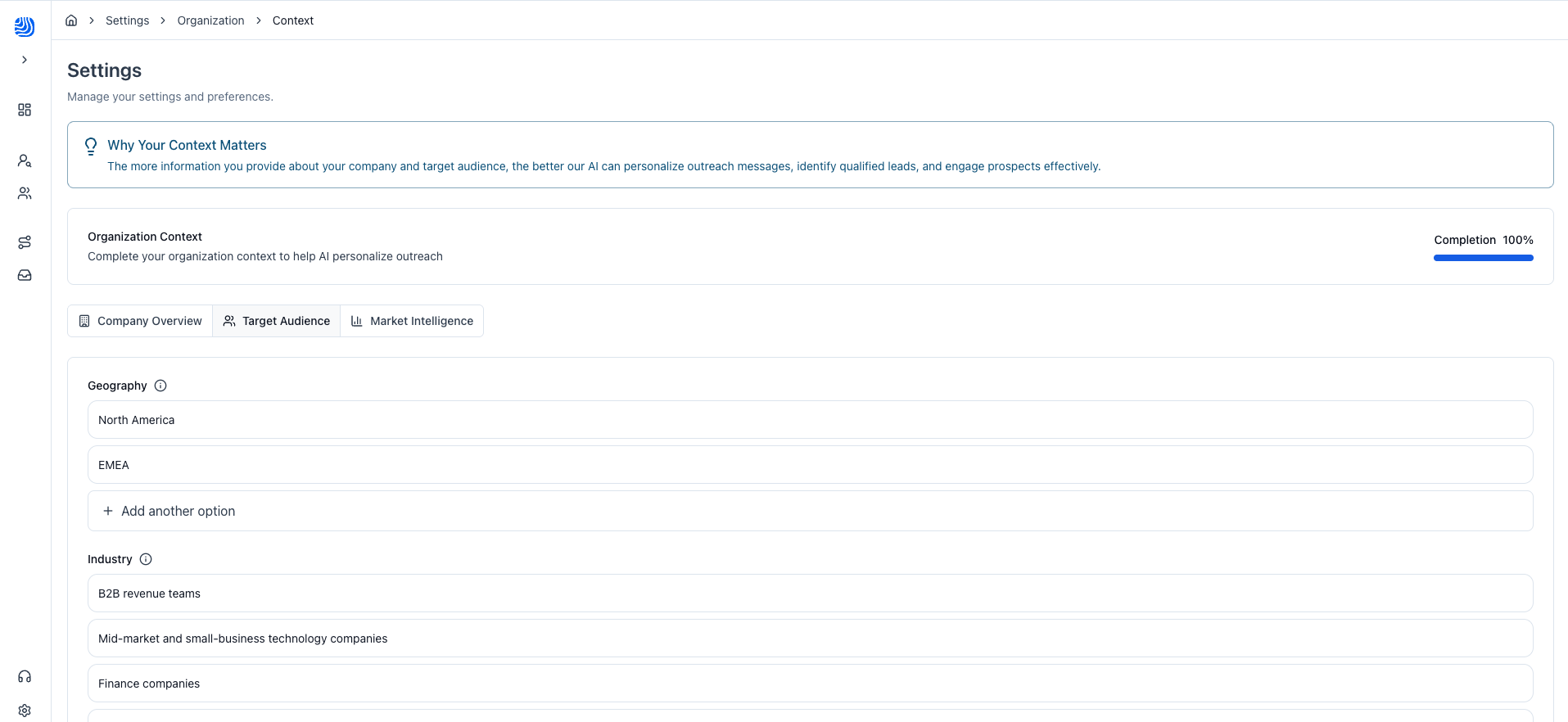
These filters from your Organization Context will automatically be added to the lead search filters by the agent (unless you untoggle that option). They will appear with the colour green.
List targeting prompt: your targeting for this specific list
Your list prompt tells the agent exactly who you want to include in this particular list. It defines the target both in terms of companies and contacts.
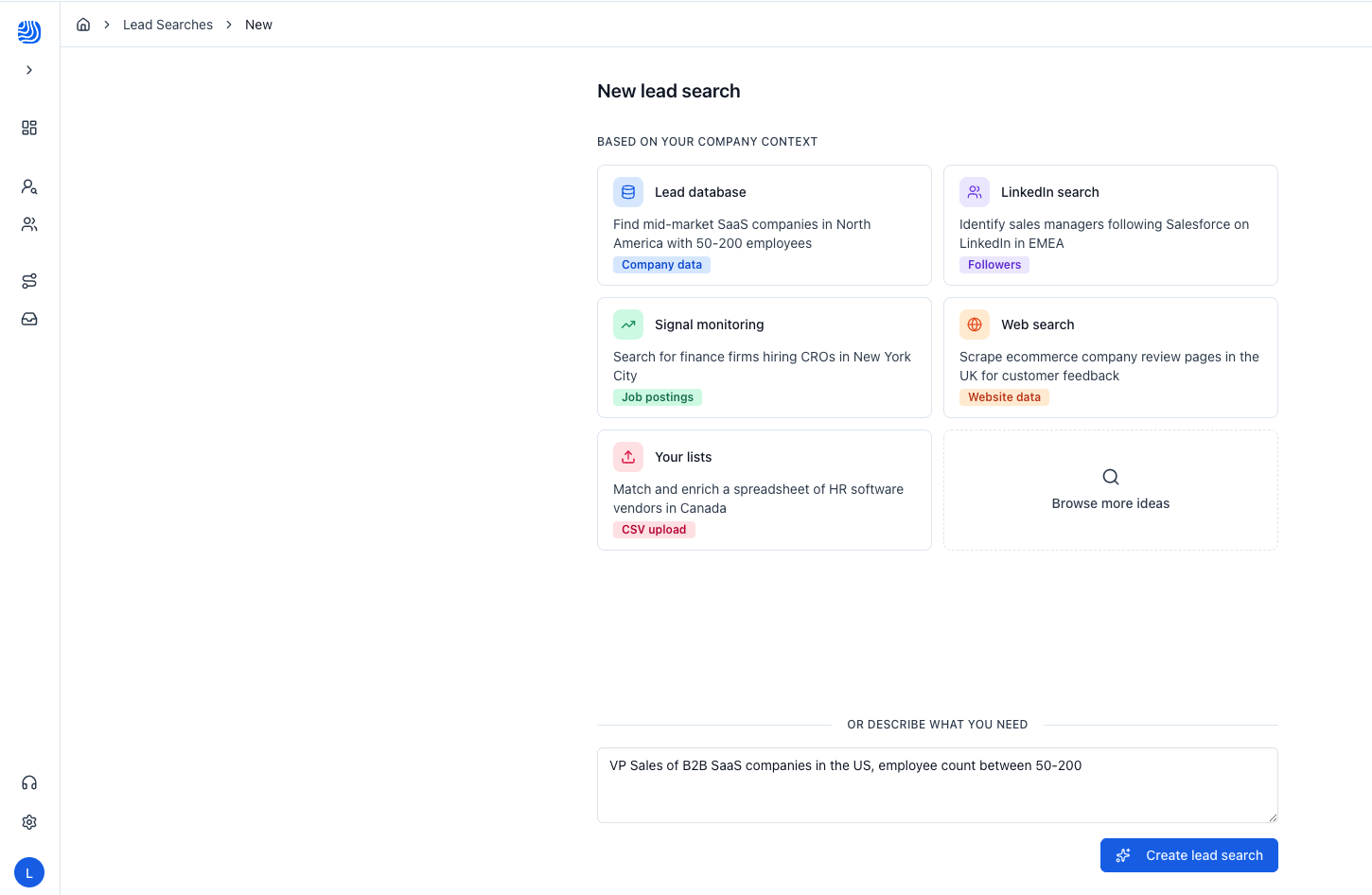
How they interact
Most of the time, your campaign prompt will align closely with your Organization Context. But they don't have to match. For example, if your company typically sells to Sales leaders, you might still want to build a list of high-signal Chief Marketing Officers to test a new angle.
Here is how the agent resolves this:
When your prompt provides specific targeting, it takes priority over the Organization Context.
When your prompt is missing key information (e.g., you specify the persona but not the industry), the agent automatically falls back to the values defined in your Organization Context.
This means you don't need to repeat your full ICP in every prompt. Just specify what is different for this list, and the agent fills in the rest.
Writing a Great Prompt
1. Separate company-level and contact-level criteria
Be explicit about what applies to the company versus what applies to the contact.
For example, if you want leads based in France, ask yourself: should the company be headquartered in France, or are you looking for contacts located in France regardless of where the company is based? Spell it out so the agent knows exactly what you mean.
2. Clearly define the persona
Don't leave the agent guessing who you want to talk to. Be specific about the function or department. Instead of a vague definitions like "Sales", you could specify any of: Sales, Sales Enablement, Revenue Operations, Customer Success, Customer Support, Pre-Sales.
3. Specify the seniority level(s)
Seniority can make or break your list. Be deliberate: do you want only Directors? Or should the list also include VPs and Heads of department? State it clearly.
4. Say what you want and what you don't want
Inclusions are important, but exclusions are just as powerful. If you want contacts in Marketing, but not Product Marketing, say so explicitly. For example: "Include Marketing personae, Directors of Higher. Exclude Product Marketing roles."
This helps the agent filter out noise and deliver a tighter, more relevant list.
Example
Job title = Sales
Job title exclusion = assistant, intern, internship, apprenticeship, junior, jr, independant, freelance, part time, part-time, interim, trainee
Seniority = Manager, Director, VP, CXO People locations = France
Company HQ = France
Size = 50-200
Industry = Technology
Summary: Before You Prompt
Before launching your search, run through this checklist:
Is my Organization Context up to date? The agent relies on it as a fallback for any missing information.
Have I separated company criteria from contact criteria? Geography, size, and industry can apply at either level.
Have I defined the persona clearly? Function, department, and role should be unambiguous.
Have I specified seniority? Don't assume the agent will guess the right level.
Have I included exclusions? Telling the agent what you don't want is just as important.
Am I using clear, understandable keywords?