How can I delete a sequence?
Last updated: May 7, 2026
It is not possible to permanently delete a sequence in Topo. However, you can archive your sequences to organize them.
How to archive a sequence
To archive a sequence, follow these steps:
Go to the "Sequences" tab
Open the sequence you want to archive
Click on the pencil icon (edit) next to the sequence title
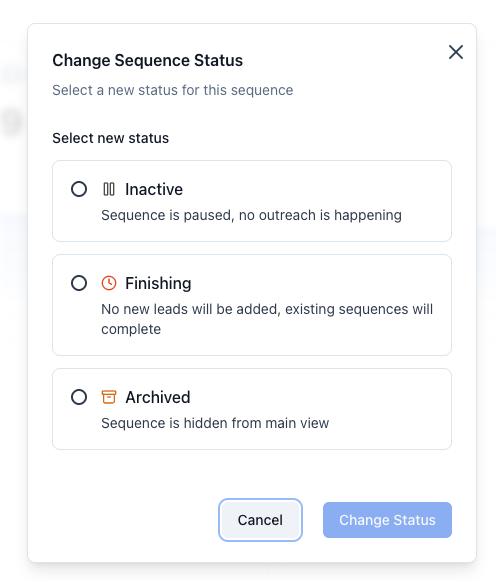
Select "Archived" in the status
Click on "Change Status"
View archived sequences
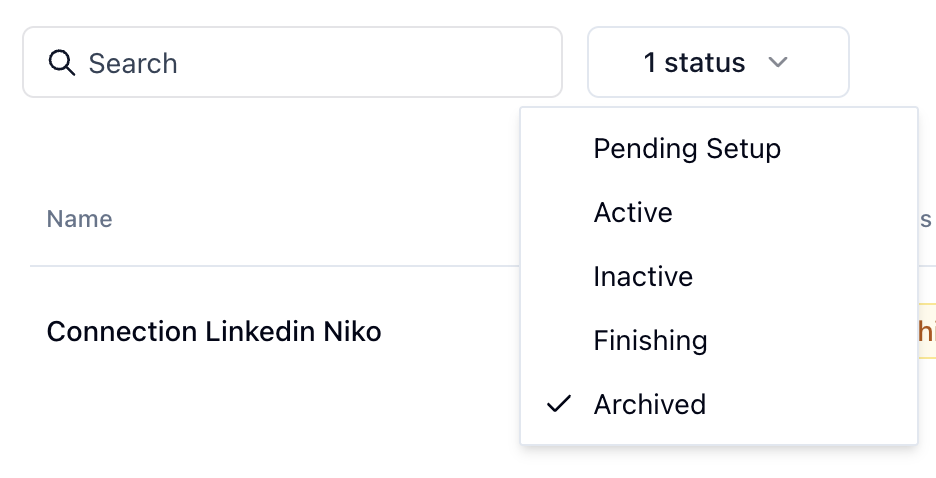
Once archived, your sequences remain accessible on the Sequences page by using the "Archived" status filter. Archived sequences stop functioning and sending messages but remain available for reference.