How do I quickly approve multiple leads at once?
Last updated: August 31, 2026
Context
You want to approve multiple leads efficiently without having to go through each individual lead profile one by one. You're looking for a bulk approval feature that allows you to process several leads simultaneously.
Answer
There are three ways to approve leads quickly in Topo:
Method 1: Bulk Selection and Approval
The fastest way to approve multiple leads is to use the bulk selection feature:
Go to the Contacts page, or open one of your lists. The action bar is identical in both places, so either works.
Select the checkboxes on the left side of the leads you want to approve
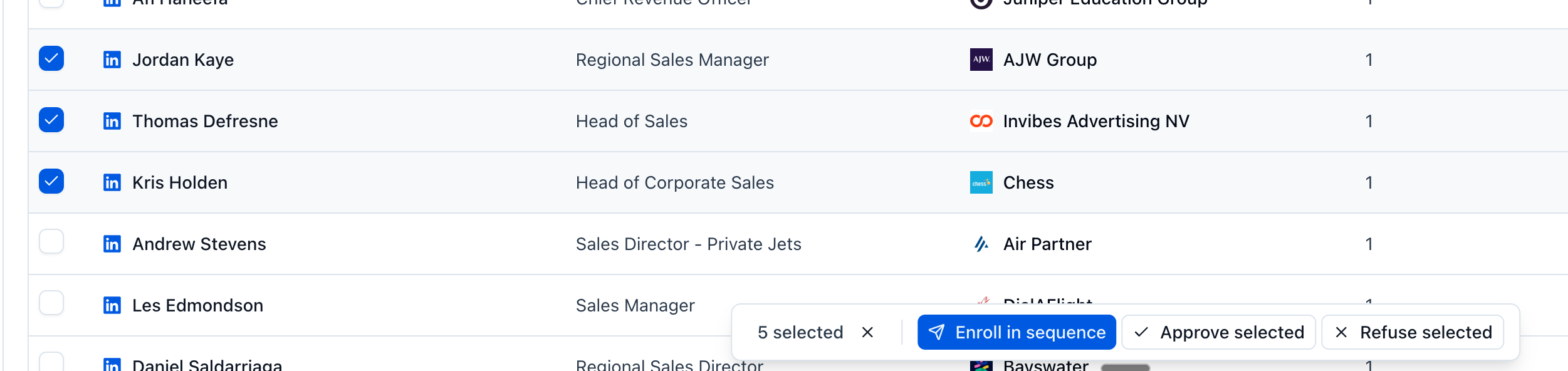
Use the action bar that appears at the bottom of the page
Click Copilot in the action bar, then approve or refuse the selected leads in one go.
Method 2: Approve one-by-one
In your Lead list environment, you can also manage lead approvals by clicking on the name of a lead. Then, a lead drawer will open on the right, with details on the specific lead. Under their name, you will see the "Approve" and "Refuse" buttons.
Navigate to other leads by clicking on the arrows at the top right of the drawer.
Method 3: from the Contacts page
Method 1 and method 2 both work from the Contacts page exactly as they do inside a list. The bottom action bar carries the same buttons in both places, including Copilot for bulk approval and refusal, so use whichever page you are already on.
Please note that manual approval or refusale cannot be done from the "Leads" tab inside a sequence.
For more detailed information, refer to the Sequences page documentation and Lists page documentation.